
You’re reading this on a website right now — but if someone asked you to explain exactly what a website is and how it gets from a server to your screen, could you answer clearly? Most people can’t, and that’s completely fine. It’s one of those things that works so smoothly in everyday life that there’s rarely a reason to look under the hood.
But if you’re interested in web development, planning to build your own site, or just curious about how the Internet actually works, understanding what a website is really is, technically — is the right place to start. Everything else builds from here.
What Is a Website?
A website is a collection of related web pages stored on a server and made accessible through the Internet using a web address called a URL (Uniform Resource Locator).
Each website has a unique domain name that identifies it. When you type developerhint.blog into your browser, you’re telling the Internet exactly which collection of pages you want to reach. Those pages can contain text, images, videos, interactive forms, downloadable files, or any combination of the above.
A useful way to think about it: if the Internet is a city, websites are the buildings. Each building has its own address (the domain), its own purpose, and its own contents. The roads connecting them — the infrastructure that lets you travel from one to another — are the Internet itself.
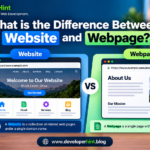
One distinction worth knowing early: a website and a web page are not the same thing. A web page is a single document — like one article or one contact form. A website is the entire collection of pages grouped under the same domain. This site is a website; the post you’re reading right now is one web page within it.
How a Website Actually Works
When you type a URL and press enter, a surprisingly involved process happens in the background — usually in under a second. Here’s what’s actually going on:
First, your browser needs to find the IP address (a numerical identifier) associated with the domain you typed. It sends a request to a DNS server (Domain Name System), which works like a phone book for the Internet — it looks up the domain name and returns the corresponding IP address of the server where that website lives.
With the IP address in hand, your browser sends an HTTP or HTTPS request to that server. HTTP stands for Hypertext Transfer Protocol — it’s the set of rules that governs how your browser and the web server communicate. HTTPS is the secure version, encrypting the data in transit so it can’t be intercepted.
The web server receives the request, finds the relevant files — typically HTML, CSS, JavaScript, images, and other assets — and sends them back to your browser.
Your browser then renders those files into the visual page you see on screen. It reads the HTML to understand the structure, applies the CSS to style it, and runs the JavaScript to add any interactive behaviour.
The whole sequence — DNS lookup, request, server response, rendering — typically completes in a fraction of a second. For most websites you visit, you never notice any of it happening.
What a Website Is Made Of
Every website is built from a set of core components, both visible and invisible.
Domain Name
The domain is the human-readable address people type to reach your site — like developerhint.blog. Domain names are registered through domain registrars and need to be renewed periodically. They’re the Internet’s way of giving every website a memorable, unique identity instead of forcing everyone to memorize numerical IP addresses.
Web Hosting and Server
Every website’s files need to live somewhere. That somewhere is a web server — a computer that stays connected to the Internet around the clock and delivers your site’s files to anyone who requests them. When you pay for web hosting, you’re renting space on one of these servers. Shared hosting, VPS hosting, and dedicated hosting all refer to different arrangements for how that server space is allocated.
The Front End (What You See)
The front end is everything a visitor sees and interacts with directly. It’s built from three core technologies:
- HTML (HyperText Markup Language) — defines the structure and content. It’s the skeleton: headings, paragraphs, images, links, buttons, and every other element on the page.
- CSS (Cascading Style Sheets) — controls the visual presentation. Colors, fonts, spacing, layout, responsive behaviour — all of that is CSS.
- JavaScript — adds interactivity and dynamic behaviour. Dropdown menus, image sliders, form validation, live search results — anything that moves or responds to user actions is typically powered by JavaScript.
These three technologies work together on every website you’ve ever visited. You can’t build the front end of a website without all three playing their part.
The Back End (What You Don’t See)
For many websites — blogs, social platforms, e-commerce stores — there’s a layer of logic and data management running behind the scenes that users never see directly. This is called the back end or server side.
The back end handles things like: checking whether your login credentials are correct, pulling the right products from a database when you search, processing a payment, or sending a confirmation email when you submit a form. It’s written in languages like PHP, Python, Node.js, Ruby, or Java, and it typically interacts with a database — MySQL, PostgreSQL, MongoDB — to store and retrieve information.
Simple websites (a personal portfolio, a small blog) might not need a back end at all. Complex ones (a social network, an online store, a booking platform) depend on it heavily.
Types of Websites
Websites exist for an enormous range of purposes. Here are the most common categories:
A business site might include a blog. An educational platform might also be a web application. Most modern websites combine elements from several categories.
A Brief History of Websites
It’s worth pausing to appreciate how recent all of this is.
In 1989, British computer scientist Tim Berners-Lee, working at the physics laboratory CERN in Switzerland, wrote a proposal for a system of linked documents that could be shared over the Internet. He called it the World Wide Web.
In 1991, the first website went live at info.cern.ch. It was a simple page of text explaining what the World Wide Web was and how to use it. You can still visit a recreation of it today.
In 1993, the release of Mosaic — the first graphical web browser — changed everything. Before Mosaic, the web was text-only. Mosaic let websites display images alongside text, and suddenly the web became accessible to people who weren’t researchers or engineers. Web traffic exploded almost immediately.
Through the 2000s, blogs, social media, and dynamic web applications arrived and reshaped how people used the web. It stopped being a place to read information and became a place to communicate, create, and transact.
Today, there are approximately 1.34 billion websites in existence, though only around 201 million of them are actively maintained — about 15% of the total. The rest are dormant domains, placeholder pages, or abandoned projects. Around 252,000 new websites are created every single day.
Why Websites Matter
For individuals, a website is a professional presence — a portfolio, a blog, a place to share your work with anyone in the world without needing a publisher or a platform that owns your content.
For businesses, a website is often the primary way customers find, evaluate, and engage with them. Around 73% of small businesses now have a website, and that number continues to grow.
For developers, the website is the medium everything is built for. Whether you’re writing front-end components, designing databases, configuring servers, or working on performance — websites are where those skills come together and become real products people actually use.
And at a broader level, websites are how information moves. Research, journalism, education, community, commerce — the web hosts all of it, and websites are the containers it lives in.
Final Thoughts
A website is, at its simplest, a collection of files stored on a server and delivered to a browser on request. But that simple description doesn’t quite capture what websites actually are in practice: the infrastructure of most of modern life.
Understanding what websites are made of — domain names, servers, HTML, CSS, JavaScript, and the back-end systems that power dynamic content — is the foundational knowledge that makes everything else in web development click into place. Once you understand how a request travels from a browser to a server and back, concepts like hosting, caching, APIs, and performance stop being abstract and start making intuitive sense.
That’s why starting here isn’t a detour. It’s the foundation everything else is built on.
Discover more from Developer Hint
Subscribe to get the latest posts sent to your email.
Content Disclosure
This content was created with the assistance of AI tools and thoroughly reviewed, fact-checked, and refined by a human editor to ensure accuracy, clarity, and usefulness for readers.Advertisements