
If you’re starting web development, one of the first decisions you’ll face is whether to learn frontend or backend.
It can feel like a big choice, but in reality, it’s more about where to begin than what to commit to forever. Most developers end up learning both over time.
Still, choosing the right starting point can make your learning journey smoother and less frustrating.
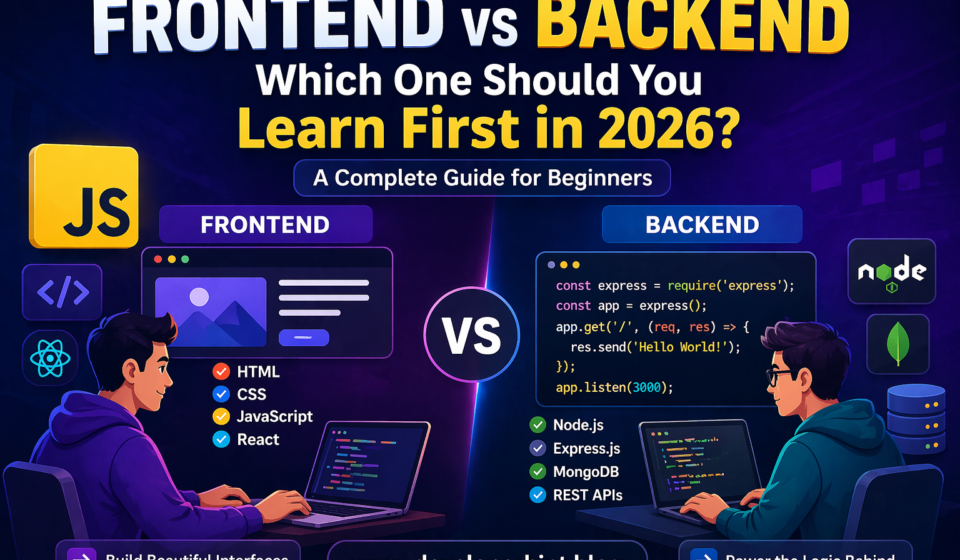
What is Frontend Development?
Frontend development focuses on everything users see and interact with in a website.
When you open a site and click buttons, scroll through content, or fill out a form, you’re using the frontend.
The core technologies include:
- HTML for structure
- CSS for styling
- JavaScript for interactivity
As you progress, you’ll likely learn React, especially if you’re following the MERN stack.
One major advantage of frontend is immediate feedback. You write code, refresh your browser, and instantly see the result. This makes learning more engaging and easier to follow.
What is Backend Development?
Backend development handles everything behind the scenes.
It powers how applications work, store data, and respond to user actions.
Typical backend responsibilities include:
- Managing databases
- Handling authentication
- Building APIs
- Processing server logic
In the MERN stack, backend technologies include:
- Node.js
- Express.js
- MongoDB
Backend work is less visual and more focused on logic, data flow, and system behavior.
Frontend vs Backend: Key Difference
The simplest way to understand the difference is:
- Frontend is what users see
- Backend is how the system works
Frontend deals with presentation and interaction.
Backend handles data, logic, and communication.
Why You Should Start with Frontend
For most beginners, frontend is the better starting point. Here’s why:
- Faster feedback: You immediately see what your code does
- Easier entry point: No need to understand servers or databases at first
- Stronger foundation: HTML, CSS, and JavaScript are essential for all web development
- Smooth MERN path: Frontend leads naturally into React and then backend
Starting with frontend helps you build confidence early, which is important when learning something new.
When Backend Might Be a Better Choice
Backend can be a good starting point in certain cases:
- You prefer logic over design
- You already understand programming basics
- You’re more interested in how systems work than how they look
Some developers simply enjoy backend work more, and that’s completely valid.
Skills Comparison
Here’s how frontend and backend differ in terms of skills:
Frontend focuses on:
- Layouts and design
- User interaction
- Browser behavior
- Responsive interfaces
Backend focuses on:
- Data management
- API development
- Server-side logic
- Application performance
Both require problem-solving, but in different ways.
Recommended MERN Learning Path
If your goal is full-stack development, follow this order:
Step 1: Learn Frontend Basics
- HTML
- CSS (Flexbox and Grid)
- JavaScript (DOM, events)
Step 2: Learn React
- Components
- Props and state
- Hooks
Step 3: Learn Backend
- Node.js
- Express
- REST APIs
Step 4: Learn Database
- MongoDB
- CRUD operations
Step 5: Build Full Projects
- Combine frontend and backend
- Create real-world applications
Common Beginner Mistake
Many beginners try to learn everything at once.
For example:
- Jumping into React without understanding JavaScript
- Learning backend before knowing how frontend works
- Trying to build full-stack apps too early
This often leads to confusion.
A better approach is to focus on one layer at a time and build small projects along the way.
So, Which One Should You Learn First?
Here’s a simple way to decide:
- If you’re a complete beginner → start with frontend
- If you enjoy logic more → consider backend
- If your goal is full-stack → start frontend, then move to backend
There’s no wrong choice, but there is a more practical path depending on your situation.
Final Thoughts
Frontend is the easiest way to enter web development. It gives you quick results and builds confidence early.
Backend becomes much easier once you understand how the frontend works and how users interact with applications.
Instead of overthinking, choose a starting point and begin. The most important step is to keep learning and building consistently.
Instead of overthinking, choose a starting point and begin. The most important step is to keep learning and building consistently.
Discover more from Developer Hint
Subscribe to get the latest posts sent to your email.
Content Disclosure
This content was created with the assistance of AI tools and thoroughly reviewed, fact-checked, and refined by a human editor to ensure accuracy, clarity, and usefulness for readers.Advertisements