
Every website you visit has a name. Google.com. YouTube.com. Developerhint.blog. These names feel simple and obvious — you type one in, a website appears. But behind that simplicity is an entire system that translates the name you type into a numerical address, routes your request across the Internet, and delivers the right files to your browser.
That name is called a domain name, and understanding how it works is one of the foundational concepts in web development. This guide covers what domain names are, how the DNS system translates them, what the different parts of a domain mean, and what you need to know before registering one of your own.
What Is a Domain Name?
A domain name is the human-readable address people type into their browser to visit a website. It’s the layer between you and the actual numerical address (called an IP address) that computers use to locate servers on the Internet.
Without domain names, visiting a website would mean remembering something like 142.250.80.46 instead of google.com. Domain names exist specifically to solve that problem — they give every website a memorable, meaningful identity that people can actually use.
It’s worth distinguishing between a domain name and a URL, since these terms often get used interchangeably even though they’re not quite the same thing:
https://developerhint.blog/contact
│       │                 │
│       │                 └── Path (specific page)
│       └── Domain name
└── Protocol (https://)
The domain name is just the middle part — developerhint.blog. The full string including the protocol and path is the URL. The domain is the site’s identity; the URL is a specific address within it.
How a Domain Name Actually Works
When you type a domain name and press enter, your browser can’t do anything with it directly — it needs an IP address to actually connect to the right server. The Domain Name System (DNS) handles that translation automatically, and it does it in milliseconds.
Here’s what happens step by step:
- You type
developerhint.bloginto your browser - Your browser checks its local DNS cache for a recent record of that domain. If it has one, it uses it immediately
- If not, the query goes to a DNS resolver — typically run by your ISP or a public service like Google (8.8.8.8) or Cloudflare (1.1.1.1)
- The resolver works through a hierarchy of DNS servers to find the authoritative nameserver for that domain — the definitive source that holds the actual IP address record
- The IP address is returned to your browser, which then connects to the web server at that address
- The server sends back the website’s files, and your browser renders the page
The entire process — including the DNS lookup — typically completes in under a second. Cached DNS records make repeat visits even faster, since the browser already knows the IP address from a previous lookup.
The Structure of a Domain Name
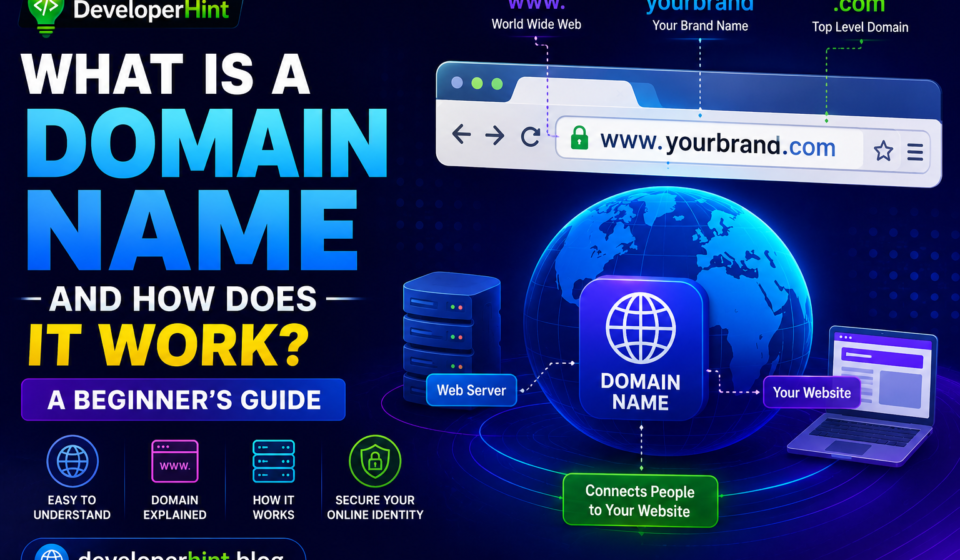
A domain name has a specific structure, and each part plays a different role. Using www.developerhint.blog as an example:
| Part | Name | What It Is |
|---|---|---|
www | Subdomain | An optional prefix. “www” is the most common, but subdomains can be anything: blog., shop., api. |
developerhint | Second-Level Domain (SLD) | The main name — your brand, project, or chosen identifier |
.blog | Top-Level Domain (TLD) | The extension after the dot — .com, .org, .blog, etc. |
Together, the SLD and TLD form the registered domain: developerhint.blog. The subdomain is optional and configured separately after registration.
One thing worth understanding: domain names are read right to left in terms of hierarchy. The TLD (.blog) is at the top of the hierarchy, the SLD (developerhint) sits below it, and subdomains (www) sit below that. This hierarchy is exactly how DNS resolves names — starting at the top-level and working down.
What Is a TLD (Top-Level Domain)?
The TLD is the extension at the end of a domain name — the part after the final dot. There are several categories:
Generic TLDs (gTLDs) — the most common type, open for general registration:
.com— originally for commercial use, now the most common TLD for any purpose.org— originally for non-profit organizations, now open to anyone.net— originally for network infrastructure, now general use.edu— restricted to accredited educational institutions in the US.gov— restricted to US government entities
Newer generic TLDs — introduced from 2013 onward as the original TLDs became crowded:
.blog,.shop,.store,.news— descriptive extensions.io,.dev,.tech,.app— popular with developers and tech companies.co— widely used as a.comalternative
Country-Code TLDs (ccTLDs) — two-letter extensions assigned to specific countries:
.uk(United Kingdom),.de(Germany),.fr(France),.jp(Japan),.so(Somalia)- Some ccTLDs have been repurposed for general use —
.io(British Indian Ocean Territory) and.co(Colombia) are popular examples
There are over 1,500 top-level domains registered globally today, though .com remains dominant — more than 137 million of the 362 million registered domain names use the .com extension.
For most websites, .com is still the safest choice for credibility and user expectations. If your preferred .com isn’t available, a relevant alternative like .co, .dev, or .blog can work well — especially if it matches your site’s purpose.
Domain Name vs. Web Hosting — What’s the Difference?
This is one of the most common points of confusion for beginners, and it’s worth being direct about it.
Your domain name is the address — it tells the Internet where to look. Your web hosting is the actual server where your website’s files live. You need both, and they’re usually purchased separately from different providers (though many hosts offer domains as part of the package).
The connection between them is made through DNS records. When you register a domain, you point its nameservers to your hosting provider. From that point on, when someone types your domain, DNS routes them to your host’s servers, which deliver your website files.
A common analogy: your domain is the address on the front of a building, and your hosting is the building itself. You need the address for people to find you, and you need the building to have something to show them when they arrive.
A Brief History of Domain Names
Before domain names existed, computers on the early Internet were identified only by numerical IP addresses. As the network grew through the late 1970s and early 1980s, keeping track of which address belonged to which computer required manually updating a single text file — HOSTS.TXT — and distributing it across the network. As the number of connected computers increased, this system became impossible to maintain.
In 1983, computer scientist Paul Mockapetris invented the Domain Name System (DNS) — a distributed, hierarchical database that could automatically translate human-readable names into IP addresses. It was one of the most important infrastructure decisions in the history of the Internet.
The first domain ever registered was nordu.net on January 1, 1985, used by NORDUnet — a Scandinavian university research network — to identify its first root server. A few months later, on March 15, 1985, symbolics.com became the first .com domain ever registered, claimed by Symbolics Inc., a Massachusetts computer company that built Lisp workstations for AI research. At the time, it was a routine administrative task that nobody considered historically significant.
By the end of 1985, only six .com domains existed. By 1992, there were around 15,000. Today there are over 362 million registered domain names.
How to Register a Domain Name
Registering a domain is straightforward. You buy the right to use a domain name for a set period (usually one year, renewable) through an accredited registrar — a company authorized to register domains on your behalf.
The process typically goes like this:
- Choose a registrar — Namecheap, GoDaddy, Cloudflare Registrar, and Hostinger are all reputable options with different pricing and features
- Search for your domain — check whether the name you want is available and which TLDs it’s available under
- Register and pay — domain registration is usually $10–$20/year for a
.com, though prices vary by TLD and registrar - Connect to hosting — after registering, update the domain’s nameserver records to point to your hosting provider
A few practical tips before registering:
- Keep it short and easy to spell. If you have to spell it out every time someone asks for your website, it’s too complicated.
- Avoid hyphens and numbers. They’re harder to communicate verbally and can look less trustworthy.
- Watch the renewal price. Some registrars offer low introductory rates that increase significantly at renewal. Check the renewal price before committing.
- Enable WHOIS privacy. When you register a domain, your contact information goes into a public database by default. Most registrars offer free WHOIS privacy protection that hides your personal details.
- Register for multiple years if you’re serious. It signals commitment and protects you from forgetting to renew.
Why Your Domain Name Matters
Your domain is the first thing people see when they encounter your website address. It shapes their first impression before they’ve seen a single pixel of your design.
A good domain name is memorable, relevant to your content or brand, and easy to share. It also contributes — in a modest way — to SEO: having relevant keywords in your domain can provide a small ranking signal, though it’s far less important than it used to be and content quality matters much more.
Perhaps most importantly, your domain is something you own (as long as you renew it). Unlike a social media handle or a page on someone else’s platform, a domain gives you an address on the Internet that’s yours to direct however you choose. That independence is worth something, especially if you’re building a long-term online presence.
Final Thoughts
A domain name is the identity layer of the Internet — the human-readable address that sits on top of the numerical IP system that computers actually use to communicate. Understanding how DNS translates that name into a server address, and how your domain connects to your hosting, gives you a clearer picture of how the web works as a system rather than just a collection of sites you visit.
If you’re planning to build your own website, choosing and registering a good domain name is one of the first decisions you’ll make. Take it seriously — it’s the one part of your online presence that’s genuinely hard to change once you’ve built an audience around it.
Discover more from Developer Hint
Subscribe to get the latest posts sent to your email.
Content Disclosure
This content was created with the assistance of AI tools and thoroughly reviewed, fact-checked, and refined by a human editor to ensure accuracy, clarity, and usefulness for readers.Advertisements