Skip to content
-
Subscribe to our newsletter & never miss our best posts. Subscribe Now!
Developer Hint

Your Ultimate Guide to Web Development.

Developer Hint

Your Ultimate Guide to Web Development.

  • Home
  • Web Development
  • Tech Explained
  • Developer Tools
  • Contact Us
  • Home
  • Web Development
  • Tech Explained
  • Developer Tools
  • Contact Us
Close

Search

Subscribe
Developer Hint

Your Ultimate Guide to Web Development.

Developer Hint

Your Ultimate Guide to Web Development.

  • Home
  • Web Development
  • Tech Explained
  • Developer Tools
  • Contact Us
  • Home
  • Web Development
  • Tech Explained
  • Developer Tools
  • Contact Us
Close

Search

Subscribe
Home/Tech Explained/Beginner Guide to HTML & CSS (With Examples)
Beginner Guide To Html Css
Tech ExplainedWeb Development

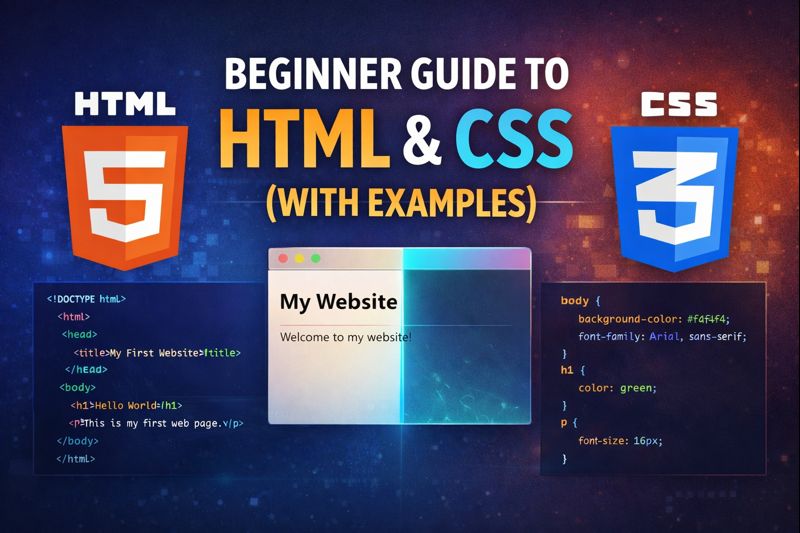
Beginner Guide to HTML & CSS (With Examples)

blank
By Developer Hint
January 12, 2026 2 Min Read
0

Introduction

HTML and CSS are the foundation of the web, Every website you see uses HTML to structure content and CSS to style it.

If you are new to web development, this beginner guide to HTML and CSS will help you understand the basics with simple explanations and examples, No prior coding experience is required.

What Is HTML?

HTML stands for HyperText Markup Language.

It is used to structure content on a web page.

HTML tells the browser:

  • What is a heading
  • What is a paragraph
  • What is an image or a link

Basic HTML Example

<!DOCTYPE html>
<html>
<head>
  <title>My First Website</title>
  <style>
    body {
      background-color: whitesmoke;
    }
  </style>
</head>
<body>
  <h1>Hello World</h1>
  <p>This is my first web page.</p>
</body>
</html>

Explanation:

  • <h1> is a heading
  • <p> is a paragraph
  • HTML uses tags to define content

Common HTML Elements

ElementPurpose
<h1> – <h6>Headings
<p>Paragraph
<a>Link
<img>Image
<div>Container

What Is CSS?

CSS stands for Cascading Style Sheets.

It is used to style and design HTML elements.

CSS controls:

  • Colors
  • Fonts
  • Layout
  • Spacing

Basic CSS Example

body {
background-color: whitesmoke;
font-family: Arial, sans-serif;
}
h1 {
color: green;
}
p {
font-size: 16px;
}

What This Does:

  • Changes background color
  • Makes text green
  • Adjusts font size

How HTML and CSS Work Together

HTML creates the structure.

CSS makes it look good.

Example:

<h1>Developer Hint</h1>
<p>Simple coding tips for beginners.</p>
h1 {
  color: green;
}
p {
  color: #333;
}

Adding CSS to HTML (3 Ways)

1️⃣ Inline CSS

<p style="color: green;">Hello</p>

2️⃣ Internal CSS

<style>
  p { color: green; }
</style>

3️⃣ External CSS (Best Practice)

<link rel="stylesheet" href="style.css">

Why Beginners Should Learn HTML & CSS First

  • Easy to learn
  • No tools required
  • Builds strong web foundation
  • Required for JavaScript and frameworks

HTML and CSS are the first step toward becoming a web developer.

Common Beginner Mistakes

  • Forgetting to close tags
  • Mixing HTML and CSS logic
  • Using inline styles too much
  • Not practicing enough

Mistakes are normal — practice is key.

Final Thoughts

Learning HTML and CSS gives you the power to create and style your own websites from scratch, With regular practice, you’ll quickly gain confidence and move on to more advanced web technologies.

At DeveloperHint, we help beginners understand web development basics clearly so they can build strong foundations and grow with confidence.

banner
Content Disclosure
This content was created with the assistance of AI tools and thoroughly reviewed, fact-checked, and refined by a human editor to ensure accuracy, clarity, and usefulness for readers.
Advertisements
banner

Tags:

Beginner CodingCSSHTMLWeb Development
blank
Author

Developer Hint

Follow Me
Other Articles
Best Free Tools For Web Developers In 2026
Previous

Best Free Tools for Web Developers in 2026

Css Selectors Explained With Examples
Next

CSS Selectors Explained with Examples (Detailed Guide)

No Comment! Be the first one.

    Leave a Reply Cancel reply

    Your email address will not be published. Required fields are marked *

    Random Posts

    • Understanding JavaScript Arrow Functions with ExamplesUnderstanding JavaScript Arrow Functions with Examples
    • Flex vs Grid: When to Use CSS Flexbox and CSS Grid LayoutFlex vs Grid: When to Use CSS Flexbox and CSS Grid Layout
    • CSS Selectors Explained with Examples (Detailed Guide)CSS Selectors Explained with Examples (Detailed Guide)
    • Namecheap vs Hostinger: Which Hosting is Better for WordPress in 2026?Namecheap vs Hostinger: Which Hosting is Better for WordPress in 2026?
    • WCAG Guidelines Explained Simply for BeginnersWCAG Guidelines Explained Simply for Beginners

    Popular

    Archives

    • May 2026
    • April 2026
    • March 2026
    • February 2026
    • January 2026
    • November 2025
    • October 2025

    Categories

    • Developer Tools
    • Tech Explained
    • Web Development

    Random Posts

    • How to Build Consistency as a Web Developer (Even If You’re Busy)How to Build Consistency as a Web Developer (Even If You’re Busy)
    • what is the difference between website and webpagewhat is the difference between website and webpage
    • How Does a Website Work? From Domain to Browser ExplainedHow Does a Website Work? From Domain to Browser Explained
    • Tailwind vs Bootstrap: Which CSS Framework Should Developers Use in 2026?Tailwind vs Bootstrap: Which CSS Framework Should Developers Use in 2026?
    • Why VS Code is the Top Choice for DevelopersWhy VS Code is the Top Choice for Developers

    Popular

    Legal pages

    • About Us
    • Privacy Policy
    • Terms and Conditions
    • Disclaimer

    Trending

    Copyright 2026 — Developer Hint. All rights reserved.

    ►
    Necessary cookies enable essential site features like secure log-ins and consent preference adjustments. They do not store personal data.
    None
    ►
    Functional cookies support features like content sharing on social media, collecting feedback, and enabling third-party tools.
    None
    ►
    Analytical cookies track visitor interactions, providing insights on metrics like visitor count, bounce rate, and traffic sources.
    None
    ►
    Advertisement cookies deliver personalized ads based on your previous visits and analyze the effectiveness of ad campaigns.
    None
    ►
    Unclassified cookies are cookies that we are in the process of classifying, together with the providers of individual cookies.
    None