Skip to content
-
Subscribe to our newsletter & never miss our best posts. Subscribe Now!
Developer Hint

Your Ultimate Guide to Web Development.

Developer Hint

Your Ultimate Guide to Web Development.

  • Home
  • Web Development
  • Tech Explained
  • Developer Tools
  • Contact Us
  • Home
  • Web Development
  • Tech Explained
  • Developer Tools
  • Contact Us
Close

Search

Subscribe
Developer Hint

Your Ultimate Guide to Web Development.

Developer Hint

Your Ultimate Guide to Web Development.

  • Home
  • Web Development
  • Tech Explained
  • Developer Tools
  • Contact Us
  • Home
  • Web Development
  • Tech Explained
  • Developer Tools
  • Contact Us
Close

Search

Subscribe
Home/Tech Explained/Understanding HTTP and HTTPS: Key Differences
Http Vs Https
Tech Explained

Understanding HTTP and HTTPS: Key Differences

blank
By Developer Hint
January 17, 2026 2 Min Read
0

What Is HTTP?

HTTP (HyperText Transfer Protocol) is the protocol used for communication between a web browser (client) and a web server.

It defines how:

  • Requests are sent (from browser to server)
  • Responses are returned (from server to browser)
  • Data like HTML, CSS, images, and JSON are transferred

Key Characteristics of http

  • Stateless protocol
  • Works on a request–response model
  • Uses plain text (not encrypted)
  • Default port: 80

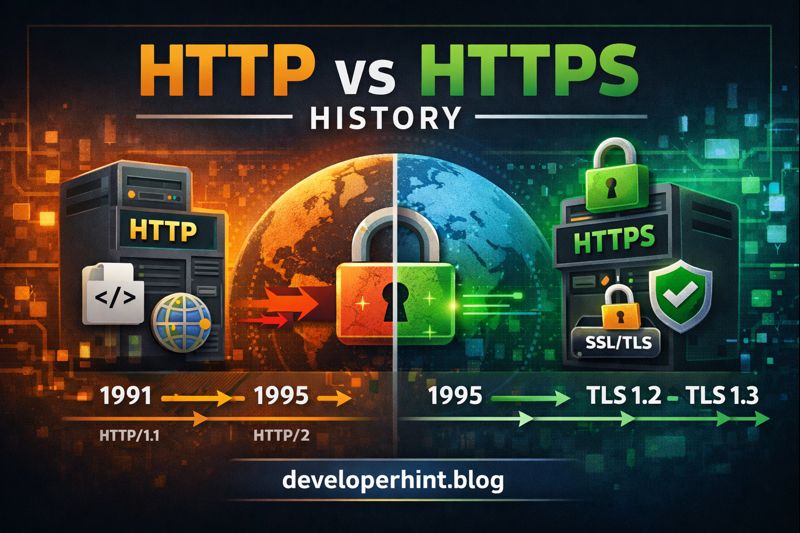
Brief History of HTTP

HTTP/0.9 (1991)

  • Created by Tim Berners-Lee
  • Extremely simple
  • Only supported GET
  • Returned plain HTML only

HTTP/1.0 (1996)

  • Added headers
  • Supported different content types
  • Allowed status codes

HTTP/1.1 (1997)

  • Persistent connections
  • Chunked transfer encoding
  • Host headers (multiple sites on one server)
  • Still widely used today

HTTP/2 (2015)

  • Binary protocol
  • Multiplexing
  • Header compression
  • Faster loading times

HTTP/3 (2022)

  • Built on QUIC
  • Uses UDP instead of TCP
  • Better performance on unstable networks

How HTTP Works (Simple Flow)

  1. Browser sends an HTTP request
  2. Server processes the request
  3. Server sends an HTTP response
  4. Browser renders the content

Example HTTP Request

GET /index.html HTTP/1.1

Host: example.com

Example HTTP Response

HTTP/1.1 200 OK

Content-Type: text/html

What Is HTTPS?

HTTPS (HyperText Transfer Protocol Secure) is the secure version of HTTP.

It uses SSL/TLS encryption to protect data exchanged between the browser and the server.

Key Characteristics of HTTPS

  • Encrypted communication
  • Data integrity protection
  • Authentication using certificates
  • Default port: 443

Why HTTPS Was Introduced

As the web evolved, HTTP became unsafe for:

  • Login forms
  • Payment systems
  • Personal data
  • APIs

Attackers could:

  • Read data (sniffing)
  • Modify data (man-in-the-middle)
  • Steal credentials

HTTPS solved these problems.

How HTTPS Works

  • Browser requests a secure connection
  • Server sends its SSL/TLS certificate
  • Browser verifies the certificate
  • Encrypted connection is established
  • Data is transferred securely

HTTP vs HTTPS (Key Differences)

FeatureHTTPHTTPS
Security❌ Not secure✅ Secure
EncryptionNoYes (SSL/TLS)
Port80443
SEONot preferredGoogle ranking boost
TrustLowHigh

Why HTTPS Is Mandatory Today

  • Required for modern browsers
  • Needed for:
    • Service Workers
    • HTTP/2 and HTTP/3
    • Progressive Web Apps
  • Improves SEO
  • Builds user trust

Common Myths About HTTPS

HTTPS is slow

→ False, HTTPS with HTTP/2 is often faster.

Only payment sites need HTTPS

→ False, Every site should use HTTPS.

HTTPS makes a site 100% safe

→ False, It secures data in transit, not server logic.

Should You Still Use HTTP?

Only for:

  • Local development
  • Internal testing environments

Never for production websites.

Conclusion

HTTP built the web, but HTTPS secures it.

In modern development, HTTPS is no longer optional—it’s a standard.

If your site is still using HTTP, upgrading to HTTPS should be your top priority.

Content Disclosure
This content was created with the assistance of AI tools and thoroughly reviewed, fact-checked, and refined by a human editor to ensure accuracy, clarity, and usefulness for readers.
Advertisements
banner

Tags:

internet protocolsSecurity
blank
Author

Developer Hint

Follow Me
Other Articles
Css Transform And Transition Explained
Previous

CSS Transform and Transition: Easy Animation Guide

Ssl
Next

Understanding SSL: Why It’s Essential for Your Website

No Comment! Be the first one.

    Leave a Reply Cancel reply

    Your email address will not be published. Required fields are marked *

    Random Posts

    • CSS Variables Explained: A Practical Guide to Custom PropertiesCSS Variables Explained: A Practical Guide to Custom Properties
    • CSS Transform and Transition: Easy Animation GuideCSS Transform and Transition: Easy Animation Guide
    • Client-Side vs Server-Side Rendering: What’s the Difference?Client-Side vs Server-Side Rendering: What’s the Difference?
    • 7 Mistakes That Keep Web Developers Stuck at Beginner Level7 Mistakes That Keep Web Developers Stuck at Beginner Level
    • Frontend vs Backend: Which One Should You Learn First in 2026?Frontend vs Backend: Which One Should You Learn First in 2026?

    Popular

    Random Posts

    • CSS Grid Tutorial: A Complete Guide to Every Grid PropertyCSS Grid Tutorial: A Complete Guide to Every Grid Property
    • Namecheap vs Hostinger: Which Hosting is Better for WordPress in 2026?Namecheap vs Hostinger: Which Hosting is Better for WordPress in 2026?
    • Full Stack Web Developer Roadmap 2026: Complete Guide from Beginner to AdvancedFull Stack Web Developer Roadmap 2026: Complete Guide from Beginner to Advanced
    • 7 Mistakes That Keep Web Developers Stuck at Beginner Level7 Mistakes That Keep Web Developers Stuck at Beginner Level
    • Essential VS Code Code Formatting TipsEssential VS Code Code Formatting Tips

    Legal pages

    • About Us
    • Privacy Policy
    • Terms and Conditions
    • Disclaimer

    Trending

    Copyright 2026 — Developer Hint. All rights reserved.

    ►
    Necessary cookies enable essential site features like secure log-ins and consent preference adjustments. They do not store personal data.
    None
    ►
    Functional cookies support features like content sharing on social media, collecting feedback, and enabling third-party tools.
    None
    ►
    Analytical cookies track visitor interactions, providing insights on metrics like visitor count, bounce rate, and traffic sources.
    None
    ►
    Advertisement cookies deliver personalized ads based on your previous visits and analyze the effectiveness of ad campaigns.
    None
    ►
    Unclassified cookies are cookies that we are in the process of classifying, together with the providers of individual cookies.
    None