Skip to content
-
Subscribe to our newsletter & never miss our best posts. Subscribe Now!
Developer Hint

Your Ultimate Guide to Web Development.

Developer Hint

Your Ultimate Guide to Web Development.

  • Home
  • Web Development
  • Tech Explained
  • Developer Tools
  • Contact Us
  • Home
  • Web Development
  • Tech Explained
  • Developer Tools
  • Contact Us
Close

Search

Subscribe
Developer Hint

Your Ultimate Guide to Web Development.

Developer Hint

Your Ultimate Guide to Web Development.

  • Home
  • Web Development
  • Tech Explained
  • Developer Tools
  • Contact Us
  • Home
  • Web Development
  • Tech Explained
  • Developer Tools
  • Contact Us
Close

Search

Subscribe
Home/Tech Explained/Understanding SSL: Why It’s Essential for Your Website
Ssl
Tech Explained

Understanding SSL: Why It’s Essential for Your Website

blank
By Developer Hint
January 19, 2026 2 Min Read
0

Introduction

When you see a 🔒 lock icon in your browser, SSL is working behind the scenes.

SSL plays a critical role in keeping data secure between users and websites, without it, sensitive information like passwords, credit cards, and personal data could be easily stolen.

In this article, we’ll explain SSL in simple terms, starting from the basics and then exploring its history.

What Is SSL?

SSL (Secure Sockets Layer) is a security technology that encrypts data sent between a user’s browser and a website’s server.

Encryption means:

  • Data is scrambled
  • Only the intended receiver can read it

Example data SSL protects:

  • Login credentials
  • Payment information
  • Contact forms

Why SSL Is Important

SSL helps with:

  • 🔐 Data protection
  • 🛡 Preventing hackers and data theft
  • 🌐 Trust and credibility
  • 📈 Better SEO (search engines prefer HTTPS)

Today, SSL is a standard requirement for all websites.

How SSL Works (Simple Explanation)

Here’s what happens when you visit an HTTPS website:

  1. Your browser requests a secure connection
  2. The server sends its SSL certificate
  3. The browser verifies the certificate
  4. A secure encrypted connection is created

After this, all data exchanged is protected.

What Is an SSL Certificate?

An SSL certificate is a digital file that:

  • Confirms the website’s identity
  • Contains encryption keys
  • Enables HTTPS

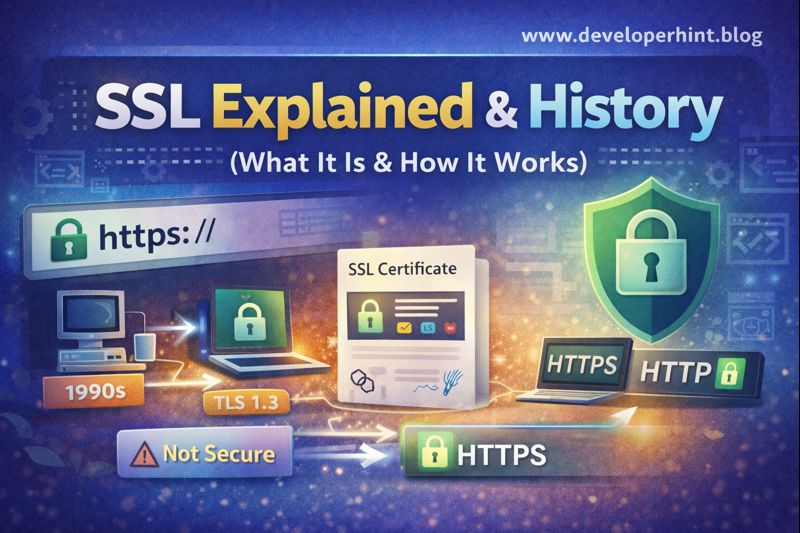
Websites without SSL show:

⚠ Not Secure

Websites with SSL show:

🔒 HTTPS

Brief History of SSL

SSL 1.0

  • Created by Netscape in the mid-1990s
  • Never released publicly
  • Had serious security issues

SSL 2.0 (1995)

  • First public version
  • Introduced basic encryption
  • Quickly found to be insecure

SSL 3.0 (1996)

  • Major improvement
  • Widely used for years
  • Later found vulnerable to attacks

From SSL to TLS

SSL eventually evolved into TLS (Transport Layer Security) released TLS 1.0 in 1999.

Today:

  • SSL is the common name
  • TLS is the actual technology used

Modern websites use TLS 1.2 or TLS 1.3, which are faster and more secure.

HTTPS vs HTTP

HTTPHTTPS
No encryptionEncrypted
Data visibleData protected
Not secureSecure
Poor SEOBetter SEO

HTTPS = HTTP + SSL/TLS

Do All Websites Need SSL?

Yes, even websites without login forms should use SSL because:

  • Browsers warn users
  • Search engines penalize non-HTTPS sites
  • User trust is reduced

Conclusion

SSL is a fundamental part of today’s internet security, it protects user data, builds trust, and ensures safe communication between browsers and servers.

Understanding SSL and its history helps you appreciate why HTTPS is no longer optional, it’s essential.

At Developer Hint we break down complex tech topics into simple, beginner-friendly explanations.

💸 Save 20% on Hostinger hosting and get FREE SSL on every plan — secure, fast, and beginner-friendly.

👉 Claim 20% OFF + Free SSL with Hostinger
Content Disclosure
This content was created with the assistance of AI tools and thoroughly reviewed, fact-checked, and refined by a human editor to ensure accuracy, clarity, and usefulness for readers.
Advertisements
banner

Tags:

core web vitalsSecuritySSL certificates
blank
Author

Developer Hint

Follow Me
Other Articles
Http Vs Https
Previous

Understanding HTTP and HTTPS: Key Differences

What Is Javascript Hoisting
Next

JavaScript Hoisting Explained: Avoid Common Mistakes

No Comment! Be the first one.

    Leave a Reply Cancel reply

    Your email address will not be published. Required fields are marked *

    Random Posts

    • CSS Display Types Explained: block, inline, flex, grid, and MoreCSS Display Types Explained: block, inline, flex, grid, and More
    • Frontend vs Backend: Which One Should You Learn First in 2026?Frontend vs Backend: Which One Should You Learn First in 2026?
    • Flex vs Grid: When to Use CSS Flexbox and CSS Grid LayoutFlex vs Grid: When to Use CSS Flexbox and CSS Grid Layout
    • WCAG Guidelines Explained Simply for BeginnersWCAG Guidelines Explained Simply for Beginners
    • CSS Variables Explained: A Practical Guide to Custom PropertiesCSS Variables Explained: A Practical Guide to Custom Properties

    Popular

    Random Posts

    • 7 Mistakes That Keep Web Developers Stuck at Beginner Level7 Mistakes That Keep Web Developers Stuck at Beginner Level
    • WCAG Guidelines Explained Simply for BeginnersWCAG Guidelines Explained Simply for Beginners
    • What Is CDN? How It Works and Why Websites Use ItWhat Is CDN? How It Works and Why Websites Use It
    • Namecheap vs Hostinger: Which Hosting is Better for WordPress in 2026?Namecheap vs Hostinger: Which Hosting is Better for WordPress in 2026?
    • Understanding Web Hosting: A Complete Guide for BeginnersUnderstanding Web Hosting: A Complete Guide for Beginners

    Legal pages

    • About Us
    • Privacy Policy
    • Terms and Conditions
    • Disclaimer

    Trending

    Copyright 2026 — Developer Hint. All rights reserved.

    ►
    Necessary cookies enable essential site features like secure log-ins and consent preference adjustments. They do not store personal data.
    None
    ►
    Functional cookies support features like content sharing on social media, collecting feedback, and enabling third-party tools.
    None
    ►
    Analytical cookies track visitor interactions, providing insights on metrics like visitor count, bounce rate, and traffic sources.
    None
    ►
    Advertisement cookies deliver personalized ads based on your previous visits and analyze the effectiveness of ad campaigns.
    None
    ►
    Unclassified cookies are cookies that we are in the process of classifying, together with the providers of individual cookies.
    None