Skip to content
-
Subscribe to our newsletter & never miss our best posts. Subscribe Now!
Developer Hint

Your Ultimate Guide to Web Development.

Developer Hint

Your Ultimate Guide to Web Development.

  • Home
  • Web Development
  • Tech Explained
  • Developer Tools
  • Contact Us
  • Home
  • Web Development
  • Tech Explained
  • Developer Tools
  • Contact Us
Close

Search

Trending Now:
5 Essential Tools Every Blogger Should Use Music Trends That Will Dominate This Year ChatGPT prompts – AI content & image creation trend Ghibli trend – viral anime-style visual trend
Subscribe
Developer Hint

Your Ultimate Guide to Web Development.

Developer Hint

Your Ultimate Guide to Web Development.

  • Home
  • Web Development
  • Tech Explained
  • Developer Tools
  • Contact Us
  • Home
  • Web Development
  • Tech Explained
  • Developer Tools
  • Contact Us
Close

Search

Trending Now:
5 Essential Tools Every Blogger Should Use Music Trends That Will Dominate This Year ChatGPT prompts – AI content & image creation trend Ghibli trend – viral anime-style visual trend
Subscribe
Home/Developer Tools/How to Start a Blog with WordPress in 2026 (Step-by-Step Beginner Guide)
Start Your Blog
Developer Tools

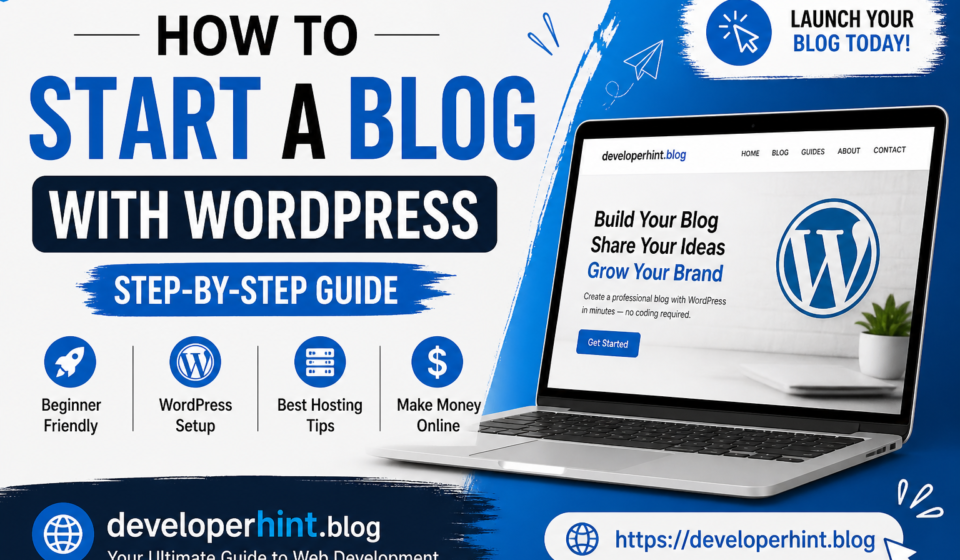
How to Start a Blog with WordPress in 2026 (Step-by-Step Beginner Guide)

By Developer Hint
May 3, 2026 2 Min Read
0

Starting a blog in 2026 is easier than ever but doing it the right way is what makes the difference between success and failure.

In this guide, you’ll learn exactly how to start a blog using WordPress, even if you have zero experience.

Step 1: Choose Your Blog Niche

Before creating your blog, decide what you’ll write about.

Good niches include:

  • Web development
  • Tech tutorials
  • Online business
  • Personal finance

👉 Tip: Pick something you can write about consistently

Step 2: Get Web Hosting (Important)

To make your blog live, you need hosting.

Hosting is where your website files are stored.

👉 Look for:

  • Fast speed
  • Free domain
  • Easy WordPress install

💡 Example recommendation:
You can use beginner-friendly hosting like Hostinger(affordable and simple setup).

🚀 Start Your Blog

Step 3: Install WordPress

Most hosting providers offer 1-click install.

Once installed:

  • Login to your dashboard
  • Go to /wp-admin
  • Start customizing

Step 4: Choose a Clean Theme

Your design matters.

Pick a theme that is:

  • Fast
  • Mobile-friendly
  • Simple

👉 Avoid heavy, slow themes

Step 5: Create Essential Pages

Before publishing posts, create:

  • About page
  • Contact page
  • Privacy Policy

This builds trust and professionalism

Step 6: Write Your First Blog Post

Start with helpful content like:

  • “What is Web Hosting?”
  • “Beginner Guide to WordPress”

👉 Focus on solving problems, not just writing

Step 7: Add Monetization (Make Money)

Here’s where you earn 👇

1. Affiliate Marketing

Recommend tools and earn commission

Example:

  • Hosting
  • Themes
  • Plugins

2. Ads

Apply for Google AdSense after getting traffic.

Step 8: Promote Your Blog

Don’t just publish—promote.

  • Share on social media
  • Use SEO keywords
  • Try Blaze ads (WordPress promotion tool)

Final Thoughts

Starting a blog is simple but growing it takes consistency.

If you:

  • Write helpful content
  • Stay consistent
  • Learn SEO

👉 You can turn your blog into a real income source.

Ready to start your blog today?

👉 Get your hosting and launch your website in minutes

Share this:

  • Share on Facebook (Opens in new window) Facebook
  • Share on X (Opens in new window) X
  • Share on Telegram (Opens in new window) Telegram
  • Share on WhatsApp (Opens in new window) WhatsApp
  • Email a link to a friend (Opens in new window) Email
  • Print (Opens in new window) Print

Discover more from Developer Hint

Subscribe to get the latest posts sent to your email.

Content Disclosure
This content was created with the assistance of AI tools and thoroughly reviewed, fact-checked, and refined by a human editor to ensure accuracy, clarity, and usefulness for readers.
Advertisements
banner

Tags:

Developer ToolsWeb DevelopmentWeb HostingWordPress
Author

Developer Hint

Follow Me
Other Articles
Frontend Vs Backend Which One Should You Learn First In 2026
Previous

Frontend vs Backend: Which One Should You Learn First in 2026?

No Comment! Be the first one.

    Leave a ReplyCancel reply

    Random Posts

    • What Is a Computer? Definition, Types, and How It Works (Beginner’s Guide)What Is a Computer? Definition, Types, and How It Works (Beginner’s Guide)
    • Client-Side vs Server-Side Rendering: What’s the Difference?Client-Side vs Server-Side Rendering: What’s the Difference?
    • Understanding JavaScript Arrow Functions with ExamplesUnderstanding JavaScript Arrow Functions with Examples
    • Essential VS Code Code Formatting TipsEssential VS Code Code Formatting Tips
    • Beginner Guide to HTML & CSS (With Examples)Beginner Guide to HTML & CSS (With Examples)

    Popular

    Random Posts

    • Why VS Code is the Top Choice for DevelopersWhy VS Code is the Top Choice for Developers
    • Frontend vs Backend: Which One Should You Learn First in 2026?Frontend vs Backend: Which One Should You Learn First in 2026?
    • How to Center a Div in CSS (7 Easy Methods Explained)How to Center a Div in CSS (7 Easy Methods Explained)
    • Understanding Web Hosting: A Complete Guide for BeginnersUnderstanding Web Hosting: A Complete Guide for Beginners
    • Best Free Tools for Web Developers in 2026Best Free Tools for Web Developers in 2026

    Legal pages

    • About Us
    • Privacy Policy
    • Terms and Conditions
    • Disclaimer

    Subscribe to Blog via Email

    Enter your email address to subscribe to this blog and receive notifications of new posts by email.

    Copyright 2026 — Developer Hint. All rights reserved.

    ►
    Necessary cookies enable essential site features like secure log-ins and consent preference adjustments. They do not store personal data.
    None
    ►
    Functional cookies support features like content sharing on social media, collecting feedback, and enabling third-party tools.
    None
    ►
    Analytical cookies track visitor interactions, providing insights on metrics like visitor count, bounce rate, and traffic sources.
    None
    ►
    Advertisement cookies deliver personalized ads based on your previous visits and analyze the effectiveness of ad campaigns.
    None
    ►
    Unclassified cookies are cookies that we are in the process of classifying, together with the providers of individual cookies.
    None