
When I first started blogging, I thought all you needed was something to say and a place to say it. Turns out, that gets you about halfway there.
The other half? The right tools. Not a hundred of them just a small, solid set that handles the stuff that actually slows you down: finding topics, fixing your writing, designing graphics, tracking what’s working, and staying organized when you have five drafts open and a deadline tomorrow.
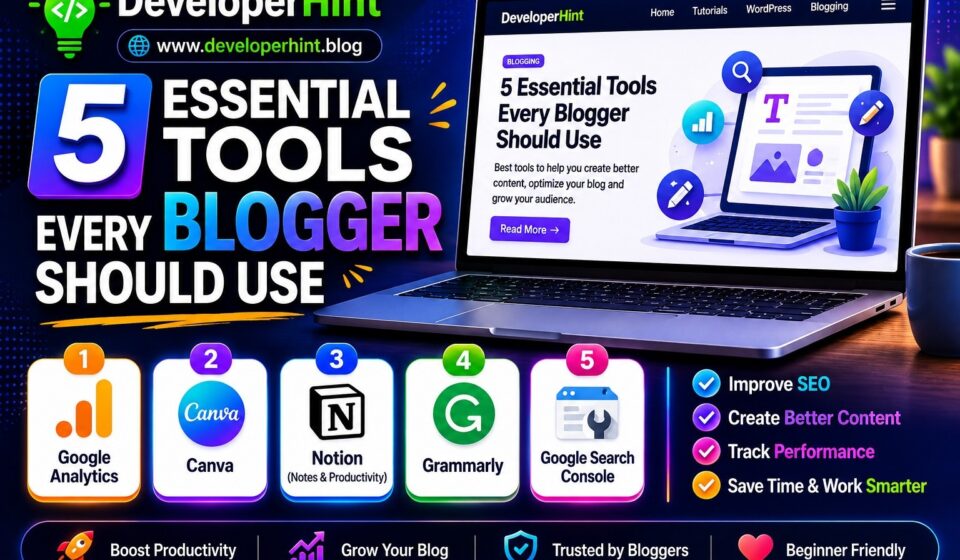
I’ve tested a lot of tools over the years. Most of them were unnecessary. But the five below? I keep coming back to them. Whether you’re just starting out or you’ve been at this for a while, these are worth having in your corner.
How to Start a Blog with WordPress in 2026
1. Grammarly
Here’s the thing about proofreading your own writing: your brain already knows what you meant to say, so it fills in the gaps automatically. You can read the same paragraph five times and miss a typo every single time.
Grammarly fixes that. It catches spelling errors, awkward phrasing, run-on sentences, and those passive voice constructions that make your writing feel heavier than it needs to be. The free version handles the basics well. The premium version goes deeper — it’ll tell you when your tone sounds too harsh, when a sentence is hard to read, or when you’re repeating the same word too much in a short section.
I use it as a browser extension, so it works directly inside WordPress, Google Docs, and pretty much anywhere else I’m typing. It’s one of those tools that quietly saves you from embarrassing yourself on a regular basis.
Best for: Bloggers who publish frequently and don’t have an editor reviewing their work before it goes live.
Free plan available: Yes
2. Google Analytics
One of the most important tools for any blogger is Google Analytics.
It helps you understand:
- How many people visit your site
- Which pages perform best
- Where your traffic comes from
- How users interact with your content
Without analytics, it’s difficult to know what’s actually working.
Why Bloggers Need It
Google Analytics helps you:
- Track blog growth
- Understand audience behavior
- Improve content strategy
- Measure SEO performance
If a post suddenly starts getting traffic, analytics will help you identify it quickly.
Best For
- Traffic tracking
- Audience insights
- SEO monitoring
Free plan available: Completely free, no paid tier
3. Canva
People judge a blog by its visuals before they read a single word. A blurry featured image or a generic stock photo thumbnail sends a subtle signal that the content inside might not be worth their time. That’s not fair, but it’s true.
Canva levels the playing field. It’s a drag-and-drop design tool with thousands of templates built specifically for things bloggers need — featured images, Pinterest pins, social media graphics, email headers, and more. You pick a template, swap in your colors and fonts, drop in your title, and you have something that looks like a graphic designer made it.
The free plan is genuinely good. The Pro plan unlocks a background remover, a brand kit for saving your colors and fonts, and a much larger library of templates worth it if you’re posting consistently and want everything to look cohesive.
One tip: create a simple featured image template you can duplicate for every new post. It saves time and makes your blog look more professional instantly.
Best for: Bloggers who want polished visuals without hiring a designer or learning Photoshop.
Free plan available: Yes
4. Google Search Console
A lot of bloggers skip this one because it sounds technical. Don’t skip it.
Google Search Console is a free tool that shows you exactly how your blog is performing in Google search results. You can see which posts are getting impressions, which keywords people are using to find you, where you’re ranking, and whether Google has any issues crawling your site.
The most useful thing it does for bloggers is show you the gap between impressions and clicks. If a post is showing up in search results but nobody is clicking through, that’s a sign your title or meta description needs work. If a post is ranking on page two for a keyword, a few updates to that article might push it to page one. That kind of insight is hard to get anywhere else.
It takes a few weeks after you connect it to start gathering data, so set it up early — even before you feel like you need it.
Best for: Every blogger. Seriously, there’s no reason not to use this.
Free plan available: Completely free, no paid tier
5. Notion
Blogging involves more loose pieces than most people expect. Post ideas, research notes, outlines, content calendars, affiliate link lists, brand guidelines, editorial feedback — it all adds up fast. If you’re keeping track of it in a mix of Google Docs, sticky notes, and browser bookmarks, things get lost.
Notion pulls it all into one place. It’s a flexible workspace where you can build whatever system works for you — a content calendar that tracks every post from idea to published, a swipe file of headlines you liked, a database of all your affiliate programs, a simple to-do list for each post. The building blocks are simple but you can combine them in almost any way.
It has a learning curve, but not a steep one. Most bloggers settle into a setup they like within a week or two and then wonder how they managed without it. There are also plenty of free blogging templates you can grab and customize rather than building from scratch.
Best for: Bloggers who feel scattered and want a single system to manage ideas, drafts, and publishing.
Free plan available: Yes
A Quick Note on Keeping It Simple
It’s easy to go down a rabbit hole with blogging tools. There are hundreds of them, and a lot of them promise to change everything. Most don’t.
The five tools above cover the core jobs: writing well, looking professional, understanding your traffic, and staying organized. That’s the foundation. Get comfortable with these before you start adding more layers.
You don’t need to use all five at once either. If you’re brand new, start with Grammarly and Canva — they have the most immediate impact on what readers see. Add the others as your blog grows and you start thinking more seriously about traffic and workflow.
Good blogging is mostly about showing up consistently with content that’s genuinely useful. The right tools just make that a little easier to do.
Discover more from Developer Hint
Subscribe to get the latest posts sent to your email.
Content Disclosure
This content was created with the assistance of AI tools and thoroughly reviewed, fact-checked, and refined by a human editor to ensure accuracy, clarity, and usefulness for readers.Advertisements