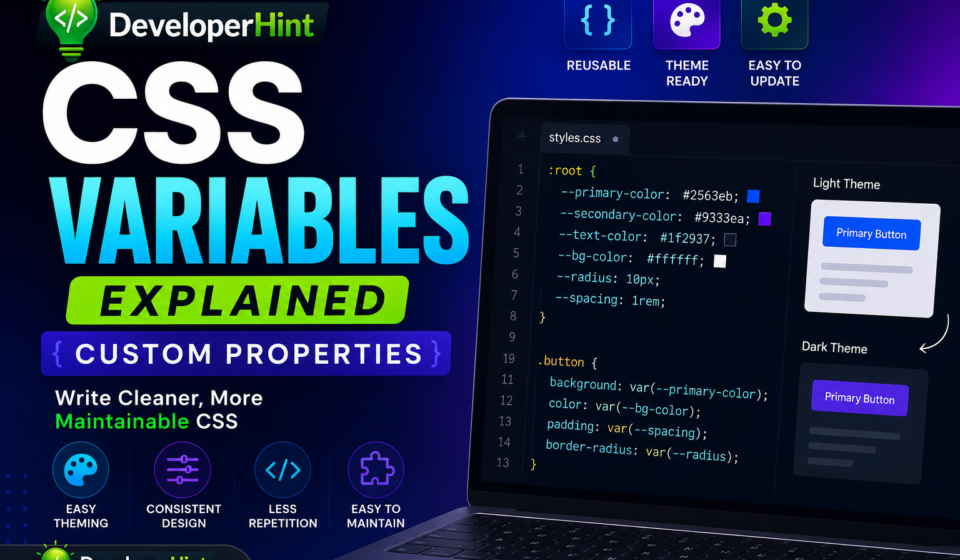
If you learned CSS before variables existed, you probably remember the ritual of a design change: find every hardcoded #3498db scattered across your stylesheet, replace each one manually, and inevitably miss at least two of them. A client wants a slightly darker blue? That’s twenty minutes of your afternoon gone.
CSS variables — officially called Custom Properties — changed that completely. They let you define a value once and reference it everywhere. But they go further than just saving you a find-and-replace. They stay alive in the browser, respond to JavaScript, cascade like regular CSS, and make things like dark mode and theming genuinely straightforward.
Browser support has been solid across all major browsers since April 2017, so there’s no compatibility reason to avoid them. This guide covers how they work, why they matter, and the patterns that make them genuinely useful in real projects.
What Are CSS Variables?
The official term is Custom Properties, though most developers call them CSS variables. They’re defined with a double-dash prefix and retrieved with the var() function.
:root {
--primary-color: #2563eb;
}
button {
background-color: var(--primary-color);
}
That’s the core pattern. --primary-color is the variable. var(--primary-color) retrieves its value wherever you need it. Change the value once in :root and every element referencing it updates automatically.
One thing worth knowing right away: custom property names are case sensitive. --my-color and --My-color are treated as two completely separate variables. It’s an easy gotcha to run into if you’re not consistent with naming conventions.
Why :root?
You’ll see CSS variables declared inside :root in almost every codebase, and there’s a specific reason for it. :root is the highest-level element in the document — equivalent to the <html> element but with higher specificity. Variables defined there are available everywhere in your stylesheet.
:root {
--primary-color: #2563eb;
--secondary-color: #9333ea;
--text-color: #1f2937;
--border-radius: 8px;
--spacing-md: 1rem;
}
Think of it as a central configuration file for your design — a single place where your brand colors, spacing scale, and typography values live. When someone asks you to update the brand color, you change one line.
Variables Work for More Than Colors
A lot of developers start using CSS variables for colors and never go further. That’s leaving most of the value on the table. Custom properties can store almost any CSS value.
:root {
/* Colors */
--primary: #2563eb;
--text: #1f2937;
--surface: #f8fafc;
/* Spacing scale */
--space-sm: 0.5rem;
--space-md: 1rem;
--space-lg: 2rem;
--space-xl: 4rem;
/* Typography */
--font-size-base: 1rem;
--font-size-lg: 1.25rem;
--font-size-xl: 2rem;
--line-height: 1.6;
/* Shadows */
--shadow-sm: 0 1px 3px rgba(0, 0, 0, 0.08);
--shadow-md: 0 4px 10px rgba(0, 0, 0, 0.12);
/* Borders */
--radius: 8px;
--border: 1px solid #e5e7eb;
}
When your entire visual language is defined in variables, updating your design system becomes a matter of editing a block at the top of your file rather than hunting through hundreds of declarations.
Local (Scoped) Variables
Variables don’t have to be global. You can define them on any element, and they’ll only be accessible to that element and its children. This is useful for component-level theming.
.card {
--card-bg: #f9fafb;
--card-padding: 1.5rem;
background: var(--card-bg);
padding: var(--card-padding);
border-radius: var(--radius); /* still inherits from :root */
}
.card--featured {
--card-bg: #eff6ff; /* override just for featured cards */
}
Scoped variables are powerful for component systems where different variants of the same component need slightly different values. Instead of writing separate rule sets that override everything, you override one variable and let it cascade down.
Fallback Values
The var() function accepts a second argument as a fallback value, used when the referenced variable isn’t defined or resolves to an invalid value.
color: var(--text-color, #1f2937);One important thing the documentation is clear about: fallback values are not a browser compatibility fix. If a browser doesn’t support CSS custom properties at all, the fallback won’t help — the entire var() call is invalid to that browser. Fallbacks are for situations where the variable simply hasn’t been set yet, or where a component might be used in a context where a particular variable doesn’t exist.
You can even nest fallbacks:
color: var(--heading-color, var(--text-color, #1f2937));This reads: use --heading-color if it exists, otherwise try --text-color, otherwise fall back to #1f2937.
Dark Mode with CSS Variables
This is where CSS variables really shine. Before custom properties, switching themes meant either loading a separate stylesheet or overriding dozens of specific property values. With variables, you only need to redefine the variables themselves — all the styles that consume them update automatically.
:root {
--bg: #ffffff;
--surface: #f8fafc;
--text: #1f2937;
--text-muted: #6b7280;
--border: #e5e7eb;
}
[data-theme="dark"] {
--bg: #0f172a;
--surface: #1e293b;
--text: #f1f5f9;
--text-muted: #94a3b8;
--border: #334155;
}
body {
background: var(--bg);
color: var(--text);
}
.card {
background: var(--surface);
border: var(--border);
}
Toggle a data-theme="dark" attribute on the <html> or <body> element (two lines of JavaScript), and every component that uses these variables switches to the dark palette instantly — no component-level overrides needed.
You can also hook into the user’s OS preference automatically:
@media (prefers-color-scheme: dark) {
:root {
--bg: #0f172a;
--text: #f1f5f9;
/* ... */
}
}
CSS Variables vs Sass Variables
If you’ve used Sass, you might wonder why you’d bother with CSS variables when Sass already has $variables. The difference is fundamental.
/* Sass variable */
$primary-color: blue;
/* CSS custom property */
--primary-color: blue;Sass variables are a build-time feature. They’re processed when you compile your Sass to CSS, and by the time the browser sees your stylesheet, all the variables have been replaced with their literal values. The browser never knows a variable was involved.
CSS custom properties live in the browser. That means:
- They can be changed at runtime with JavaScript
- They respond to media queries and cascade rules
- They can be scoped to specific elements
- They work for dynamic theming without recompiling anything
// Change a CSS variable at runtime
document.documentElement.style.setProperty('--primary-color', '#e11d48');
// Read its current value
const value = getComputedStyle(document.documentElement)
.getPropertyValue('--primary-color');
This is why CSS variables replaced Sass variables for most theming use cases in modern projects. Sass is still useful for mixins, functions, and other build-time features — but for design tokens and theming, CSS custom properties are the better tool.
The @property Rule (Modern Upgrade)
As of July 2024, @property reached baseline support across all major browsers. It’s an upgrade to CSS variables that lets you explicitly define the type of a custom property — telling the browser whether it’s a color, a length, a number, etc.
@property --brand-color {
syntax: '<color>';
inherits: false;
initial-value: #2563eb;
}
Why does this matter? Two reasons. First, typed properties allow the browser to animate and transition custom property values — something regular CSS variables can’t do because the browser doesn’t know what kind of value they hold. Second, the initial-value acts as a true fallback that works even when the property is assigned an invalid value.
For most everyday use, standard CSS variables are fine. But if you’re building animated gradients, smooth theme transitions, or complex design systems, @property is worth knowing.
A Practical Design System Setup
Here’s a setup close to what you’d actually use in a real project — a design token layer that other components build on.
:root {
/* Brand */
--color-primary: #2563eb;
--color-primary-hover: #1d4ed8;
--color-secondary: #9333ea;
/* Neutral palette */
--color-text: #1f2937;
--color-text-muted: #6b7280;
--color-bg: #ffffff;
--color-surface: #f9fafb;
--color-border: #e5e7eb;
/* Spacing scale */
--space-1: 0.25rem;
--space-2: 0.5rem;
--space-3: 0.75rem;
--space-4: 1rem;
--space-6: 1.5rem;
--space-8: 2rem;
/* Typography */
--text-sm: 0.875rem;
--text-base: 1rem;
--text-lg: 1.125rem;
--text-xl: 1.25rem;
--text-2xl: 1.5rem;
/* UI */
--radius-sm: 4px;
--radius-md: 8px;
--radius-lg: 16px;
--shadow-md: 0 4px 12px rgba(0, 0, 0, 0.1);
--transition: 200ms ease;
}
/* Component using tokens */
.button {
background: var(--color-primary);
color: #fff;
padding: var(--space-2) var(--space-4);
border-radius: var(--radius-md);
font-size: var(--text-base);
transition: background var(--transition);
}
.button:hover {
background: var(--color-primary-hover);
}
Every value that appears in more than one place — or that could change — lives in the token layer. Components never hardcode colors or spacing values directly. This is the foundation of a maintainable design system, even on a solo project.
CSS Grid Tutorial: A Complete Guide to Every Grid Property
Common Mistakes to Avoid
Missing the double dash
Custom properties must start with --. Without it, the browser treats the declaration as an unknown (and invalid) CSS property and ignores it.
/* Wrong — this does nothing */
primary-color: #2563eb;
/* Correct */
--primary-color: #2563eb;
Forgetting var()
You can’t reference a custom property directly — you have to call it through var().
/* Wrong */
color: --primary-color;
/* Correct */
color: var(--primary-color);
Case sensitivity tripping you up
CSS custom property names are case sensitive. --Primary-Color and --primary-color are different variables. Pick a naming convention (lowercase with hyphens is the most common) and stick to it consistently.
Creating variables for values that are only used once
Not every value deserves a variable. If something appears in exactly one place and is unlikely to change, a variable just adds indirection without any benefit.
/* Overkill — this value is used nowhere else */
--header-logo-left-margin-desktop: 13px;
/* A variable makes sense when the value appears in multiple places
or represents a design decision that might change */
--space-md: 1rem;
A good rule of thumb: if you’d update it in more than one place when the design changes, it should be a variable.
Final Thoughts
CSS variables are one of those features that seem modest until you actually start using them consistently. Then they change how you think about writing CSS — not just as a series of individual property declarations, but as a system with a shared vocabulary of values.
The immediate practical benefit is maintenance: one change, everywhere updated. But the deeper benefit is that your CSS starts to communicate design intent. When a component references var(--color-primary), it’s clear that this is a deliberate brand color, not an arbitrary hex value someone hardcoded three years ago.
Start by pulling your colors and spacing values into :root. Once that feels natural, try building a simple dark mode. From there, the rest follows pretty naturally.
CSS Display Types Explained: block, inline, flex, grid, and More
Discover more from Developer Hint
Subscribe to get the latest posts sent to your email.
Content Disclosure
This content was created with the assistance of AI tools and thoroughly reviewed, fact-checked, and refined by a human editor to ensure accuracy, clarity, and usefulness for readers.Advertisements
