Skip to content
-
Subscribe to our newsletter & never miss our best posts. Subscribe Now!
Developer Hint

Your Ultimate Guide to Web Development.

Developer Hint

Your Ultimate Guide to Web Development.

  • Home
  • Web Development
  • Tech Explained
  • Developer Tools
  • Contact Us
  • Home
  • Web Development
  • Tech Explained
  • Developer Tools
  • Contact Us
Close

Search

Subscribe
Developer Hint

Your Ultimate Guide to Web Development.

Developer Hint

Your Ultimate Guide to Web Development.

  • Home
  • Web Development
  • Tech Explained
  • Developer Tools
  • Contact Us
  • Home
  • Web Development
  • Tech Explained
  • Developer Tools
  • Contact Us
Close

Search

Subscribe
Home/Tech Explained/What Is a Computer? Definition, Types, and How It Works (Beginner’s Guide)
What Is A Computer
Tech Explained

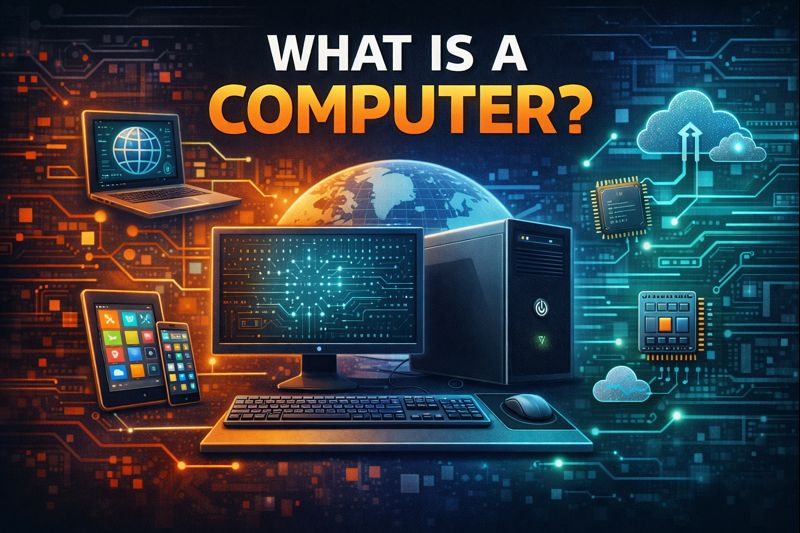
What Is a Computer? Definition, Types, and How It Works (Beginner’s Guide)

blank
By Developer Hint
October 28, 2025 2 Min Read
0

Introduction

In today’s world, computers are everywhere — in our homes, schools, offices, and even in our pockets. But what exactly is a computer?

At its core, a computer is an electronic device designed to process data, perform calculations, and execute instructions to help us complete tasks quickly and accurately.

Whether you’re browsing the web, writing code, or watching a movie, a computer is silently following commands to make it all happen.

Definition of a Computer

A computer is an electronic machine that takes input, processes it based on a set of instructions (called a program), and produces output.

In short:

Computer = Input ➜ Process ➜ Output

Main Components of a Computer

To understand how a computer works, let’s look at its main parts:

  1. Hardware

The physical components you can touch — like the monitor, keyboard, mouse, and CPU.

Examples include:

  • Processor (CPU): The brain that executes instructions.
  • Memory (RAM): Temporarily stores data for quick access.
  • Storage (Hard Drive / SSD): Saves files and software permanently.
  • Input Devices: Keyboard, mouse, microphone, etc.
  • Output Devices: Monitor, printer, speakers, etc.
  1. Software

The programs and operating systems that tell the hardware what to do.

Examples:

  • Operating Systems: Windows, macOS, Linux
  • Applications: Browsers, games, code editors
  1. Peopleware

Humans who interact with the computer — users, programmers, and IT professionals.

How a Computer Works

Every computer follows a simple process:

  • Input: You provide information (e.g., typing or clicking).
  • Processing: The CPU interprets and executes instructions.
  • Storage: Data is saved for future use.
  • Output: The result is displayed (e.g., a webpage or image).

This is known as the IPO Cycle (Input–Process–Output).

Types of Computers

Computers come in many forms, each designed for specific tasks:

  • Supercomputers: Extremely powerful machines used for scientific research.
  • Mainframes: Handle large-scale business operations.
  • Personal Computers (PCs): Common for home and office use.
  • Laptops: Portable computers with built-in screens and keyboards.
  • Smartphones & Tablets: Mini-computers for daily communication and apps.
  • Embedded Systems: Found in cars, TVs, and smart appliances.

Importance of Computers

  • Computers are essential in modern life because they:
  • Speed up work and reduce human error.
  • Connect people globally through the internet.
  • Store and process large amounts of information.
  • Power innovation in science, education, and business.

Conculusion

A computer is more than just a machine — it’s the foundation of the digital world.

Understanding what a computer is and how it works is the first step to becoming a developer, engineer, or tech enthusiast.

At Developer Hint, we believe that learning the basics gives you the power to build amazing things.

banner
Content Disclosure
This content was created with the assistance of AI tools and thoroughly reviewed, fact-checked, and refined by a human editor to ensure accuracy, clarity, and usefulness for readers.
Advertisements
banner
blank
Author

Developer Hint

Follow Me
Other Articles
Detailed close-up of ethernet cables and network connections on a router, showcasing modern technology.
Next

What Is the Internet? Definition, History, and How It Works (Complete Guide)

No Comment! Be the first one.

    Leave a Reply Cancel reply

    Your email address will not be published. Required fields are marked *

    Random Posts

    • Full Stack Web Developer Roadmap 2026: Complete Guide from Beginner to AdvancedFull Stack Web Developer Roadmap 2026: Complete Guide from Beginner to Advanced
    • WCAG Guidelines Explained Simply for BeginnersWCAG Guidelines Explained Simply for Beginners
    •  5 Essential Tools Every Blogger Should Use 5 Essential Tools Every Blogger Should Use
    • The Website Explained: Meaning, History, and How It Works for BeginnersThe Website Explained: Meaning, History, and How It Works for Beginners
    • Understanding SSL: Why It’s Essential for Your WebsiteUnderstanding SSL: Why It’s Essential for Your Website

    Popular

    Archives

    • May 2026
    • April 2026
    • March 2026
    • February 2026
    • January 2026
    • November 2025
    • October 2025

    Categories

    • Developer Tools
    • Tech Explained
    • Web Development

    Random Posts

    • What Is Minification in Web Development? CSS, JS, and HTML ExplainedWhat Is Minification in Web Development? CSS, JS, and HTML Explained
    • Understanding HTTP and HTTPS: Key DifferencesUnderstanding HTTP and HTTPS: Key Differences
    • CSS Specificity Explained Simply (With Practical Examples)CSS Specificity Explained Simply (With Practical Examples)
    • Mastering CSS Variables for BeginnersMastering CSS Variables for Beginners
    • What Is CDN? How It Works and Why Websites Use ItWhat Is CDN? How It Works and Why Websites Use It

    Popular

    Legal pages

    • About Us
    • Privacy Policy
    • Terms and Conditions
    • Disclaimer

    Trending

    Copyright 2026 — Developer Hint. All rights reserved.

    ►
    Necessary cookies enable essential site features like secure log-ins and consent preference adjustments. They do not store personal data.
    None
    ►
    Functional cookies support features like content sharing on social media, collecting feedback, and enabling third-party tools.
    None
    ►
    Analytical cookies track visitor interactions, providing insights on metrics like visitor count, bounce rate, and traffic sources.
    None
    ►
    Advertisement cookies deliver personalized ads based on your previous visits and analyze the effectiveness of ad campaigns.
    None
    ►
    Unclassified cookies are cookies that we are in the process of classifying, together with the providers of individual cookies.
    None