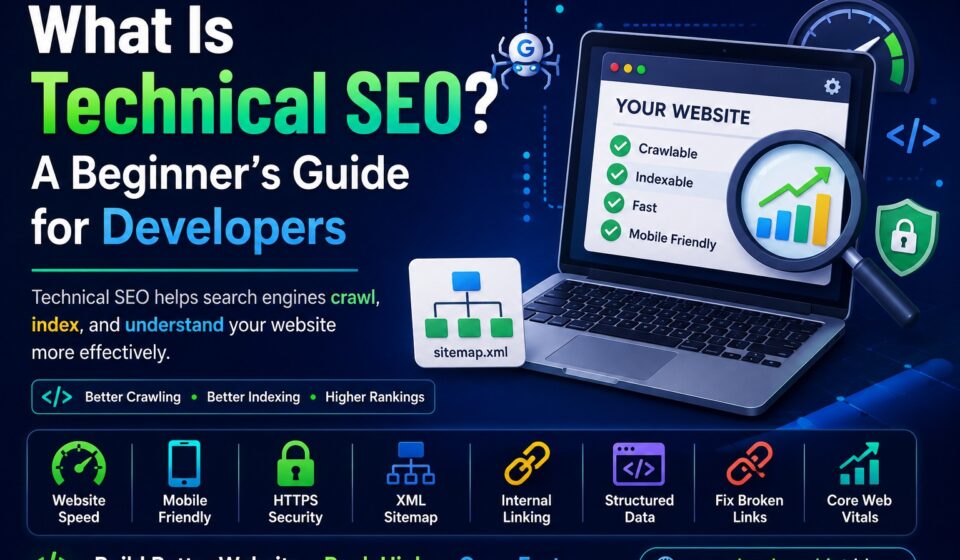

Most developers first encounter SEO through the obvious stuff — keywords, meta descriptions, blog content. That’s the part of SEO that gets written about the most, and for good reason. But there’s a layer underneath all of that which determines whether any of it actually works.
It’s called technical SEO, and it’s the part of the puzzle that developers are uniquely positioned to get right.
The short version: if search engine bots can’t crawl your site efficiently, can’t index your pages correctly, or find your site slow and hard to navigate on mobile — your content’s rankings will suffer regardless of how good that content is. Technical SEO is what makes the rest of your SEO work worth doing.
This guide covers what technical SEO actually is, why it matters, and the key areas every developer should understand.
What Is Technical SEO?
Technical SEO refers to the process of improving a website’s infrastructure so that search engines can discover, crawl, understand, and index its pages without friction. Unlike content SEO — which focuses on what you’re saying — technical SEO focuses on how your website is built.
A useful way to think about it: content SEO is written for people, technical SEO is built for search engines. You need both. One without the other gets you halfway.
When a search engine like Google wants to include your site in its results, it sends automated bots (called crawlers or spiders) to scan your pages. Those bots follow links, read your HTML, and report back. Technical SEO is about making that process as smooth and accurate as possible.
How Search Engines Actually Work
Before getting into the specific technical factors, it helps to understand the three-stage process search engines use:
Crawling is the discovery phase. Google’s bots visit pages, follow internal and external links, and map out what’s on your site. If a page isn’t linked to from anywhere, there’s a good chance it won’t be discovered.
Indexing is the decision phase. After crawling a page, Google decides whether to store it in its database. Pages with thin content, duplicate issues, or crawl errors may be skipped. If a page isn’t indexed, it literally cannot appear in search results — no matter how good the content is.
Ranking is the competition phase. Once indexed, pages compete against each other for positions based on relevance, authority, content quality, and user experience signals.
Technical SEO directly influences the first two stages, and increasingly the third one as well through factors like page speed and mobile performance.
1. Website Speed
Page speed affects both user experience and rankings. Google has made this explicit — slow pages get penalized, and users who land on a slow site leave quickly, which sends negative signals back to search engines.
The most impactful things you can do to improve speed:
- Compress and properly size images (use modern formats like WebP where possible)
- Minify CSS, JavaScript, and HTML
- Enable browser caching and use a CDN for static assets
- Defer non-critical JavaScript so it doesn’t block rendering
- Choose fast, reliable hosting — this matters more than most people realize
- Reduce unnecessary plugins, especially on WordPress
Tools like Google PageSpeed Insights and GTmetrix will show you exactly where your site is losing speed and what to fix first.
Hostinger offers fast WordPress hosting with LiteSpeed servers, free SSL, and solid performance for blogs and developer websites. You can also get an extra 20% discount using this link below.
Get Hostinger with Extra 20% OFF →2. Mobile-First Indexing
As of July 2024, Google completed its transition to fully mobile-first indexing — meaning Google exclusively uses the mobile version of your website for crawling and indexing. This rollout took several years and is now complete for every website, with no exceptions.
What this means practically: if your desktop site has content that doesn’t appear on mobile, Google won’t see it. If your mobile experience is slow, cluttered, or broken, that is what Google is evaluating when it determines your rankings — across all devices, not just mobile.
A mobile-ready site needs:
- A responsive layout that adapts cleanly to different screen sizes
- Text that’s readable without zooming
- Tap targets (buttons, links) that are large enough to use on a phone
- Fast load times on mobile connections
- The same content on mobile and desktop — no hiding important sections on smaller screens
Responsive design isn’t optional in 2024. It’s the baseline.
3. HTTPS and Security
Google has used HTTPS as a ranking signal since 2014. If your site is still serving pages over HTTP, browsers will flag it as “Not Secure” and you’re leaving a ranking advantage on the table.
HTTPS encrypts the data transmitted between your site and visitors, which protects user information and builds trust. Most hosting providers offer free SSL certificates through Let’s Encrypt — there’s no longer any cost barrier to running HTTPS on even a simple blog.
Make sure your entire site redirects from HTTP to HTTPS, and that you’re not serving mixed content (HTTPS pages loading HTTP resources), which will trigger browser security warnings even on an otherwise secure site.
Understanding SSL: Why It’s Essential for Your Website
4. XML Sitemap
An XML sitemap is a file that lists all the important URLs on your site and tells search engines where to find them. It doesn’t guarantee indexing, but it makes the discovery process faster and more reliable — especially for larger sites or new pages that haven’t been linked to yet.
Your sitemap is typically found at:
https://yourdomain.com/sitemap.xmlOn WordPress, plugins like Yoast SEO and SiteSEO generate and update your sitemap automatically. Once you have one, submit it directly in Google Search Console to speed up discovery. Check it occasionally to make sure it isn’t including pages you’d rather not have indexed (like tag archives or thin admin pages).
5. Robots.txt
The robots.txt file sits at the root of your domain and tells crawlers which parts of your site they’re allowed to access. It’s a simple text file but it has real consequences if misconfigured.
User-agent: *
Disallow: /wp-admin/
Allow: /wp-admin/admin-ajax.php
Common legitimate uses include blocking admin areas, staging environments, and search result pages with duplicate content. What you want to avoid is accidentally blocking important pages or whole directories that you do want indexed.
A word of caution: robots.txt only controls crawling, not indexing. A page blocked by robots.txt can still appear in search results if other sites link to it — Google just won’t be able to read its contents. To prevent indexing entirely, use a noindex meta tag on the page itself.
6. Internal Linking
Internal links are how search engines navigate your site. When a bot lands on your homepage and follows internal links, that’s how it discovers your blog posts, category pages, and deeper content. Pages that aren’t linked to from anywhere — orphan pages — are often never found at all.
Good internal linking also distributes “link equity” across your site, passing authority from your stronger pages to newer or weaker ones.
As a developer, make sure:
- Every important page is reachable within a few clicks from the homepage
- Internal links use descriptive anchor text, not just “click here”
- You’re not creating broken internal links when you rename or delete pages
7. Structured Data (Schema Markup)
Schema markup is extra code you add to your pages — usually in JSON-LD format — that gives search engines additional context about your content. It doesn’t directly boost rankings, but it can unlock rich results in Google: star ratings, FAQ dropdowns, article metadata, recipe cards, breadcrumbs, and more.
<script type="application/ld+json">
{
  "@context": "https://schema.org",
  "@type": "Article",
  "headline": "What Is Technical SEO?",
  "author": {
    "@type": "Person",
    "name": "Your Name"
  }
}
</script>
Common schema types for developer blogs include Article, FAQPage, HowTo, and BreadcrumbList. Google’s Rich Results Test lets you validate your markup before you deploy it.
8. Canonical URLs
Duplicate content is a real technical SEO problem — not because Google penalizes it directly, but because when the same (or very similar) content exists at multiple URLs, search engines have to guess which version to rank. They don’t always guess correctly.
The canonical tag solves this by explicitly telling Google which URL is the “original” version:
<link rel="canonical" href="https://example.com/your-page/" />Common situations where you need canonicals: paginated content, filtered product pages in e-commerce (like /shoes?color=red), HTTP vs HTTPS duplicates, and www vs non-www URLs. On WordPress, SEO plugins handle most of this automatically — but it’s worth understanding the concept when you’re debugging indexing issues.
9. Fix Broken Links
Broken links — pages that return a 404 error — do two things you don’t want. They create a frustrating experience for visitors, and they waste crawl budget as bots hit dead ends rather than discovering useful content.
Common causes include deleted pages, URL changes without proper redirects, and typos in internal links. When you restructure URLs or remove content, always set up 301 redirects from the old URL to the new one. A 301 tells both users and search engines that the page has permanently moved, passing the link equity along in the process.
Tools like Google Search Console and Screaming Frog will surface broken links across your site.
10. Core Web Vitals
Core Web Vitals are a set of performance metrics Google uses to measure real-world user experience. They became official ranking signals in 2021, and they’ve been updated since — most notably in March 2024 when Google replaced the old First Input Delay (FID) metric with Interaction to Next Paint (INP).
The three current Core Web Vitals are:
- Largest Contentful Paint (LCP) — how long it takes for the main content of the page to load. Target: under 2.5 seconds.
- Interaction to Next Paint (INP) — how quickly the page responds to user interactions like clicks and taps. Target: under 200ms. This replaced FID in March 2024 because INP measures all interactions throughout a visit, not just the first one.
- Cumulative Layout Shift (CLS) — how much the page layout jumps around while loading. Target: under 0.1. This is what causes that frustrating experience where you’re about to click something and it suddenly moves.
You can check your Core Web Vitals in Google Search Console under the “Experience” section, or use PageSpeed Insights for a page-by-page breakdown.
Common Technical SEO Mistakes
Accidentally blocking Google with robots.txt
This happens more often than you’d think, especially when moving a staging site to production. A single line like Disallow: / in your robots.txt blocks all crawlers from your entire site. Always double-check your robots.txt after any major site migration or environment change.
Slow hosting dragging everything down
No amount of front-end optimization fully compensates for a slow server. Time to First Byte (TTFB) — the time it takes your server to start responding — affects both user experience and Core Web Vitals scores. If your hosting is the bottleneck, it’s worth addressing before spending hours on other optimizations.
Missing or misconfigured XML sitemap
A sitemap that includes noindexed pages, 404 pages, or redirected URLs is more confusing than helpful. Check yours occasionally to make sure it only lists the canonical, indexable URLs you actually want Google to find.
Ignoring mobile content parity
Because Google indexes the mobile version of your site, any content that’s hidden or absent on mobile — sections toggled away for smaller screens, tables that break on phones — may not be seen by Google at all. Make sure everything important appears on mobile, even if it’s formatted differently.
Technical SEO Checklist
- ✅ HTTPS enabled with a valid SSL certificate and proper HTTP → HTTPS redirect
- ✅ Site loads fast on both desktop and mobile (check with PageSpeed Insights)
- ✅ Mobile-friendly layout with readable text and usable navigation
- ✅ XML sitemap generated and submitted in Google Search Console
- ✅ Robots.txt configured correctly — not blocking important pages
- ✅ All important pages reachable through internal links
- ✅ No broken internal links or missing 301 redirects for moved pages
- ✅ Canonical tags in place on pages with duplicate content risk
- ✅ Structured data implemented where relevant and validated
- ✅ Core Web Vitals (LCP, INP, CLS) within Google’s recommended thresholds
Why Developers Are Well-Placed to Handle This
Most of what makes up technical SEO is fundamentally a development problem. Writing clean, semantic HTML. Managing server response times. Implementing redirects correctly. Building responsive layouts. Avoiding render-blocking resources. These are things developers already think about — they just need to be applied with SEO impact in mind.
Good development practices and good technical SEO overlap heavily. When you build fast, accessible, well-structured websites, you’re usually also building sites that rank well. The two goals tend to point in the same direction.
Final Thoughts
Technical SEO isn’t glamorous, but it’s foundational. It’s the difference between a website that search engines can access cleanly and one they’re fighting with on every visit. Fix the technical fundamentals, and your content has a real chance to rank. Neglect them, and you’re building on unstable ground.
If you’re starting out, don’t try to tackle everything at once. Get HTTPS right, make sure your site is fast and mobile-friendly, set up Google Search Console, and submit a sitemap. That combination handles the biggest wins. Everything else — schema markup, canonical optimization, Core Web Vitals fine-tuning — can be layered on as your site grows.
The good news is that for developers, most of this is already within your skill set. It’s just a matter of knowing what to look for.
Discover more from Developer Hint
Subscribe to get the latest posts sent to your email.
Content Disclosure
This content was created with the assistance of AI tools and thoroughly reviewed, fact-checked, and refined by a human editor to ensure accuracy, clarity, and usefulness for readers.Advertisements