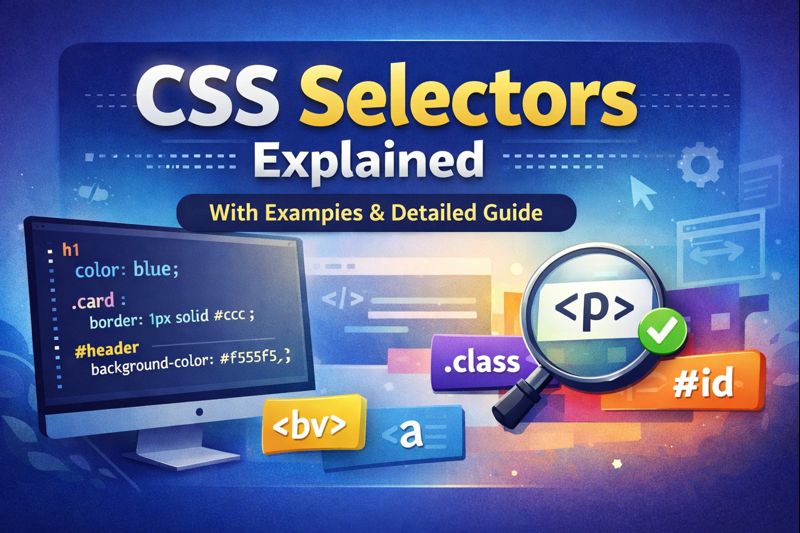

CSS selectors are the part of CSS that decides which HTML elements actually get styled. Without them, a stylesheet has no way to know where a color, a layout rule, or an animation should apply. Whether you’re just starting out or brushing up on fundamentals, understanding how selectors work is one of the most useful things you can do for writing clean, maintainable CSS.
What are CSS selectors?
A CSS selector is a pattern that tells the browser which HTML elements a rule should apply to. It’s the connective tissue between your CSS and your markup.
p {
  color: blue;
}
This selector targets every <p> element on the page and sets its text color to blue.
Basic selectors
Element selector
Targets elements by their tag name, so the rule applies everywhere that tag appears.
h1 {
  font-size: 32px;
}
This applies to every <h1> on the page.
Class selector
Targets any element carrying a specific class. This is the selector you’ll reach for most often, since the same class can be reused across as many elements as needed.
.card {
  border: 1px solid #ccc;
}
<div class="card">Content</div>ID selector
Targets a single element by its unique ID. Unlike classes, an ID should only appear once per page, which makes ID selectors useful for one-off elements like a page header, but a poor fit for anything you plan to reuse.
#header {
  background-color: #f5f5f5;
}
<header id="header"></header>Grouping selector
Lets you apply the same declaration block to multiple selectors at once. Separate each selector with a comma, followed by a single set of shared styles.
h1, h2, h3 {
  font-family: Arial, sans-serif;
}
Universal selector
Targets every element on the page. It’s most commonly seen in CSS resets, where it’s used to zero out default browser spacing before applying your own styles.
* {
  margin: 0;
  padding: 0;
}
Attribute selectors
Attribute selectors target elements based on an attribute and, optionally, its value. They’re especially handy for forms and other dynamic markup where you want to style inputs differently depending on their type.
input[type="text"] {
  border: 2px solid blue;
}
Combinator selectors
Combinators describe a relationship between elements rather than targeting a single one in isolation.
Descendant selector
Targets an element nested anywhere inside another, no matter how deep.
div p {
  color: green;
}
This styles every <p> found inside a <div>, regardless of how many other elements sit in between.
Child selector
Targets only direct children, not deeper descendants.
ul > li {
  list-style: none;
}
Adjacent sibling selector
Targets the element that comes immediately after another, at the same nesting level.
h1 + p {
  margin-top: 0;
}
This removes the top margin from a paragraph, but only when it directly follows an <h1>.
Pseudo-class selectors
Pseudo-classes style an element based on its current state or position, rather than something fixed in the markup.
a:hover {
  color: red;
}
A few other pseudo-classes worth knowing: :focus, which targets an element while it has keyboard or click focus; :active, which applies while an element is being clicked; and :first-child and :last-child, which target an element based on its position among its siblings.
Pseudo-element selectors
Pseudo-elements let you style a specific part of an element rather than the whole thing.
p::first-letter {
  font-size: 24px;
}
Other common pseudo-elements include ::before and ::after, which insert generated content before or after an element’s actual content, and ::first-line, which targets just the first line of a text block.
Why selectors matter
Selectors aren’t just syntax to memorize, they shape how maintainable a stylesheet ends up being. Used well, they keep code more readable, cut down on duplicated styles, and make advanced layouts possible without piling on extra markup. They’re also foundational to how modern frameworks like React and Vue work, since component-scoped styles and utility-based systems still rely on the same selector logic underneath.
Best for beginners: get comfortable with element, class, and ID selectors first, then layer in combinators and pseudo-classes once basic styling feels natural.
Conclusion
CSS selectors are the backbone of styling the web. From simple element selectors to combinators and pseudo-classes, understanding how they work will noticeably sharpen your front-end skills. The best way to get there is to practice combining them in real layouts rather than just reading through the list, since that’s where the logic actually clicks.
At Developer Hint, we break down web development concepts like this one in a clear, practical way, so you can apply them right away instead of just filing them away as theory.
Discover more from Developer Hint
Subscribe to get the latest posts sent to your email.
Content Disclosure
This content was created with the assistance of AI tools and thoroughly reviewed, fact-checked, and refined by a human editor to ensure accuracy, clarity, and usefulness for readers.Advertisements