Skip to content
-
Subscribe to our newsletter & never miss our best posts. Subscribe Now!
Developer Hint

Your Ultimate Guide to Web Development.

Developer Hint

Your Ultimate Guide to Web Development.

  • Home
  • Web Development
  • Tech Explained
  • Developer Tools
  • Contact Us
  • Home
  • Web Development
  • Tech Explained
  • Developer Tools
  • Contact Us
Close

Search

Subscribe
Developer Hint

Your Ultimate Guide to Web Development.

Developer Hint

Your Ultimate Guide to Web Development.

  • Home
  • Web Development
  • Tech Explained
  • Developer Tools
  • Contact Us
  • Home
  • Web Development
  • Tech Explained
  • Developer Tools
  • Contact Us
Close

Search

Subscribe
Home/Web Development/CSS Transform and Transition: Easy Animation Guide
Css Transform And Transition Explained
Web Development

CSS Transform and Transition: Easy Animation Guide

blank
By Developer Hint
January 15, 2026 2 Min Read
0

Introduction

Modern websites feel smooth and interactive thanks to animations, in CSS, two powerful features make this possible: transform and transition.

In this guide, you’ll learn:

  • What CSS transform is
  • What CSS transition is
  • How they work together

Simple, beginner-friendly examples, no prior animation knowledge required.

What Is CSS Transform?

CSS transform changes the shape, size, position, or rotation of an element.

It does not affect surrounding elements, only the selected element.

Basic syntax:

transform: value;

In CSS, transform can work on three directions: X, Y, and Z.

  • transform: valueX(); → horizontal (left ↔ right)
  • transform: valueY(); → vertical (up ↕ down)
  • transform: valueZ(); → depth (forward ↗ backward ↘)

When no axis is mentioned, the transform usually works on the default plane, mostly X and Y, but not Z.

Common CSS Transform Functions

1. translate()

Moves an element.

.box {
transform: translate(50px, 20px);
}

✔ Moves right 50px and down 20px.

2. scale()

Changes size.

.box {
transform: scale(1.2);
}

✔ Makes the element 20% bigger.

3. rotate()

Rotates an element.

.box {
transform: rotate(45deg);
}

✔ Rotates the element 45 degrees.

4. skew()

Tilts an element.

.box {
transform: skew(10deg, 5deg);
}

Combining Transforms

.box {
transform: translateX(20px) scale(1.1) rotate(10deg);
}

✔ Multiple transforms can be applied together.

What Is CSS Transition?

CSS transition makes changes smooth instead of instant.

Without transition, styles change immediately.

With transition, they animate over time.

Basic Transition Syntax

transition: property duration timing-function delay;

Example:

.box {
transition: background-color 0.3s ease;
}

Simple Hover Transition Example

.box {
background: blue;
transition: background 0.3s ease;
}
.box:hover {
background: red;
}

✔ Smooth color change on hover.

Using Transform with Transition

This is where the magic happens

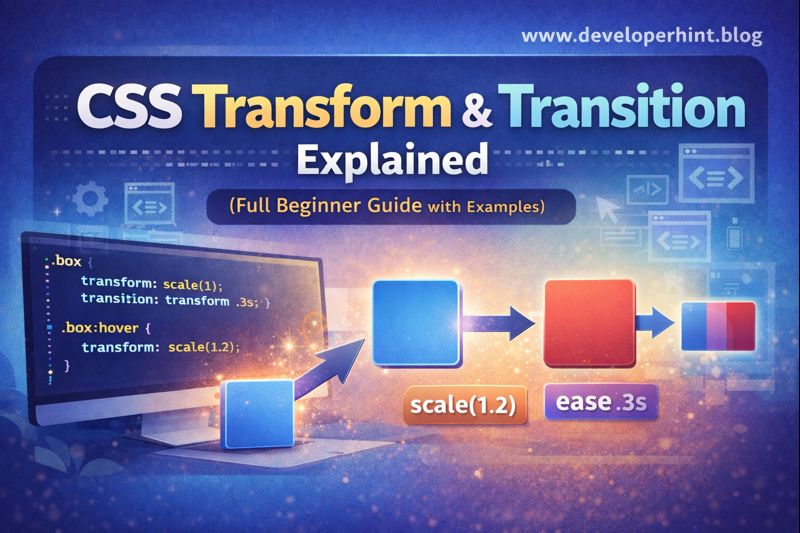
.box {
transform: scale(1);
transition: transform 0.3s ease;
}
.box:hover {
transform: scale(1.2);
}

✔ Smooth zoom effect on hover.

Multiple Transition Properties

.box {
transition: transform 0.3s ease, background 0.3s ease;
}

✔ Animate more than one property.

Common Transition Timing Functions

  • ease (default)
  • linear
  • ease-in
  • ease-out
  • ease-in-out

Example:

transition: transform 0.4s ease-in-out;

Beginner Mistakes to Avoid

  • Forgetting to add transition
  • Animating unsupported properties
  • Overusing animations
  • Using long durations (too slow feels bad)
  • Putting transition on :hover, put transition on the base element

When to Use Transform and Transition

  • Hover effects
  • Buttons and cards
  • Menus and dropdowns
  • UI feedback animations

They are perfect for micro-interactions.

Conclusion

CSS transform and transition are essential tools for creating modern, interactive websites. Transforms control how elements move and change, while transitions make those changes smooth and professional.

Start small, experiment often, and your UI will instantly feel better.

At Developer Hint we help beginners master web development with clear explanations and real examples.

banner
Content Disclosure
This content was created with the assistance of AI tools and thoroughly reviewed, fact-checked, and refined by a human editor to ensure accuracy, clarity, and usefulness for readers.
Advertisements
banner

Tags:

CSSfrontend developmentWeb Development
blank
Author

Developer Hint

Follow Me
Other Articles
Css Variables Guide For Beginners
Previous

Mastering CSS Variables for Beginners

Http Vs Https
Next

Understanding HTTP and HTTPS: Key Differences

No Comment! Be the first one.

    Leave a Reply Cancel reply

    Your email address will not be published. Required fields are marked *

    Random Posts

    • WCAG Guidelines Explained Simply for BeginnersWCAG Guidelines Explained Simply for Beginners
    • Top 10 VS Code Extensions Every Developer Should Use in 2026Top 10 VS Code Extensions Every Developer Should Use in 2026
    •  5 Essential Tools Every Blogger Should Use 5 Essential Tools Every Blogger Should Use
    • Beginner Guide to HTML & CSS (With Examples)Beginner Guide to HTML & CSS (With Examples)
    • Flex vs Grid: When to Use CSS Flexbox and CSS Grid LayoutFlex vs Grid: When to Use CSS Flexbox and CSS Grid Layout

    Popular

    Archives

    • May 2026
    • April 2026
    • March 2026
    • February 2026
    • January 2026
    • November 2025
    • October 2025

    Categories

    • Developer Tools
    • Tech Explained
    • Web Development

    Random Posts

    • CSS Selectors: Class and ID ExplainedCSS Selectors: Class and ID Explained
    • How to Build Consistency as a Web Developer (Even If You’re Busy)How to Build Consistency as a Web Developer (Even If You’re Busy)
    • Client-Side vs Server-Side Rendering: What’s the Difference?Client-Side vs Server-Side Rendering: What’s the Difference?
    • 7 Mistakes That Keep Web Developers Stuck at Beginner Level7 Mistakes That Keep Web Developers Stuck at Beginner Level
    • Namecheap vs Hostinger: Which Hosting is Better for WordPress in 2026?Namecheap vs Hostinger: Which Hosting is Better for WordPress in 2026?

    Popular

    Legal pages

    • About Us
    • Privacy Policy
    • Terms and Conditions
    • Disclaimer

    Trending

    Copyright 2026 — Developer Hint. All rights reserved.

    ►
    Necessary cookies enable essential site features like secure log-ins and consent preference adjustments. They do not store personal data.
    None
    ►
    Functional cookies support features like content sharing on social media, collecting feedback, and enabling third-party tools.
    None
    ►
    Analytical cookies track visitor interactions, providing insights on metrics like visitor count, bounce rate, and traffic sources.
    None
    ►
    Advertisement cookies deliver personalized ads based on your previous visits and analyze the effectiveness of ad campaigns.
    None
    ►
    Unclassified cookies are cookies that we are in the process of classifying, together with the providers of individual cookies.
    None