Skip to content
-
Subscribe to our newsletter & never miss our best posts. Subscribe Now!
Developer Hint

Your Ultimate Guide to Web Development.

Developer Hint

Your Ultimate Guide to Web Development.

  • Home
  • Web Development
  • Tech Explained
  • Developer Tools
  • Contact Us
  • Home
  • Web Development
  • Tech Explained
  • Developer Tools
  • Contact Us
Close

Search

Subscribe
Developer Hint

Your Ultimate Guide to Web Development.

Developer Hint

Your Ultimate Guide to Web Development.

  • Home
  • Web Development
  • Tech Explained
  • Developer Tools
  • Contact Us
  • Home
  • Web Development
  • Tech Explained
  • Developer Tools
  • Contact Us
Close

Search

Subscribe
Home/Web Development/Responsive Web Design with Bootstrap’s Grid System
Responsive Web Design With Bootstrap
Web Development

Responsive Web Design with Bootstrap’s Grid System

blank
By Developer Hint
March 16, 2026 2 Min Read
0

Introduction

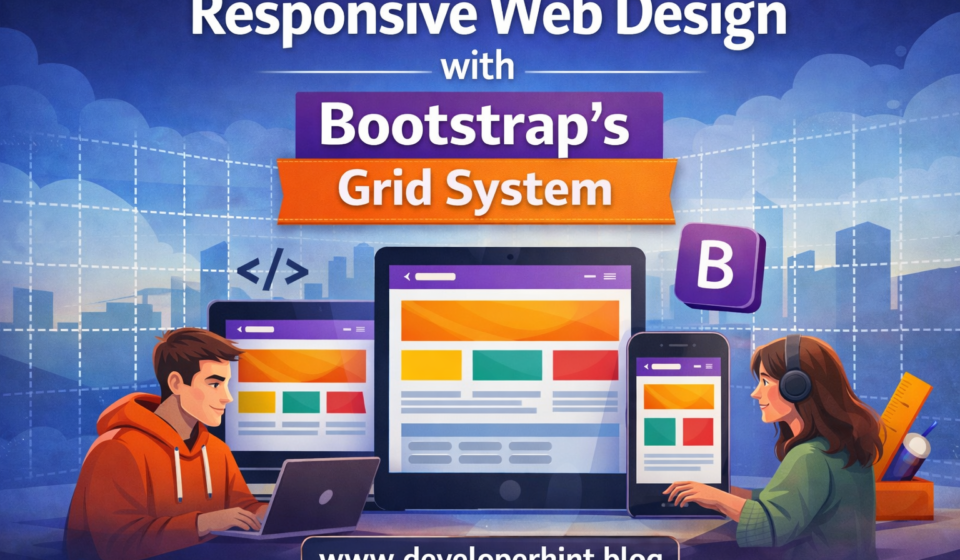
Bootstrap’s grid system is the backbone of responsive web design. It allows developers to create layouts that adapt seamlessly across devices, from mobile screens to large desktops. At the core of this system is the 12-column layout, which provides flexibility and consistency when building modern websites.

What is the 12-Column Grid?

Bootstrap divides the page into 12 equal columns. You can combine these columns in different ways to create layouts. For example:

  • 12 columns = full width
  • 6 + 6 = two equal halves
  • 4 + 8 = one-third and two-thirds split

This modular approach makes it easy to design responsive structures without manually calculating widths.

Basic Syntax

Bootstrap uses classes like .container, .row, and .col to define grids.

<div class="container">
<div class="row">
<div class="col-6">Left Side</div>
<div class="col-6">Right Side</div>
</div>
</div>
  • .container: Wraps the content and provides padding.
  • .row: Creates a horizontal group of columns.
  • .col-*: Defines how many columns an element spans.

Responsive Breakpoints

Bootstrap grids are responsive. You can specify column sizes for different screen widths:

  • .col-sm-* → Small devices (≥576px)
  • .col-md-* → Medium devices (≥768px)
  • .col-lg-* → Large devices (≥992px)
  • .col-xl-* → Extra-large devices (≥1200px)

Example:

<div class="row">
<div class="col-sm-12 col-md-8">Main Content</div>
<div class="col-sm-12 col-md-4">Sidebar</div>
</div>

On mobile, both sections stack vertically. On larger screens, they sit side by side.

Common Layout Examples

1. Three Equal Columns

<div class="row">
<div class="col-4">Column 1</div>
<div class="col-4">Column 2</div>
<div class="col-4">Column 3</div>
</div>

2. Two Unequal Columns

<div class="row">
<div class="col-8">Main Content</div>
<div class="col-4">Sidebar</div>
</div>

3. Nested Columns

You can nest rows inside columns for more complex layouts.

<div class="row">
<div class="col-6">
<div class="row">
<div class="col-6">Nested 1</div>
<div class="col-6">Nested 2</div>
</div>
</div>
<div class="col-6">Outer Column</div>
</div>

Advantages of the 12-Column Grid

  • Flexibility: Any combination of columns adds up to 12.
  • Consistency: Standardized layouts across projects.
  • Responsiveness: Adapts to different screen sizes automatically.
  • Ease of Use: Minimal CSS required, thanks to Bootstrap’s predefined classes.

Industry Comparison

  • CSS Grid: Offers more control but has a steeper learning curve.
  • Flexbox: Great for one-dimensional layouts but less intuitive for complex grids.
  • Bootstrap Grid: Balanced between simplicity and power, making it ideal for rapid development.

Conclusion

The Bootstrap 12-column grid system remains one of the most practical tools for web developers. Whether you’re building a blog, e-commerce site, or enterprise dashboard, it provides a reliable foundation for responsive design. By mastering the grid, you’ll save time and ensure your layouts look professional across all devices.

Content Disclosure
This content was created with the assistance of AI tools and thoroughly reviewed, fact-checked, and refined by a human editor to ensure accuracy, clarity, and usefulness for readers.
Advertisements
banner

Tags:

bootstrapDeveloper Toolsfrontend developmentWeb Development
blank
Author

Developer Hint

Follow Me
Other Articles
Ailwind Vs Bootstrap
Previous

Tailwind vs Bootstrap: Which CSS Framework Should Developers Use in 2026?

Full Stack Developer Roadmap 2026
Next

Full Stack Web Developer Roadmap 2026: Complete Guide from Beginner to Advanced

No Comment! Be the first one.

    Leave a Reply Cancel reply

    Your email address will not be published. Required fields are marked *

    Random Posts

    •  5 Essential Tools Every Blogger Should Use 5 Essential Tools Every Blogger Should Use
    • How to Speed Up Your WordPress Website (Complete Performance Guide)How to Speed Up Your WordPress Website (Complete Performance Guide)
    • 7 Mistakes That Keep Web Developers Stuck at Beginner Level7 Mistakes That Keep Web Developers Stuck at Beginner Level
    • What Is CDN? How It Works and Why Websites Use ItWhat Is CDN? How It Works and Why Websites Use It
    • Common Mistakes Beginner Web Developers MakeCommon Mistakes Beginner Web Developers Make

    Popular

    Random Posts

    • What Is a Domain Name and How Does It Work? — Complete Beginner’s GuideWhat Is a Domain Name and How Does It Work? — Complete Beginner’s Guide
    • CSS Positioning Explained: Absolute, Relative, Fixed & StickyCSS Positioning Explained: Absolute, Relative, Fixed & Sticky
    • Understanding SSL: Why It’s Essential for Your WebsiteUnderstanding SSL: Why It’s Essential for Your Website
    • How to Create a Responsive Navbar Using HTML and CSSHow to Create a Responsive Navbar Using HTML and CSS
    • How to Center a Div in CSS (7 Easy Methods Explained)How to Center a Div in CSS (7 Easy Methods Explained)

    Legal pages

    • About Us
    • Privacy Policy
    • Terms and Conditions
    • Disclaimer

    Trending

    Copyright 2026 — Developer Hint. All rights reserved.

    ►
    Necessary cookies enable essential site features like secure log-ins and consent preference adjustments. They do not store personal data.
    None
    ►
    Functional cookies support features like content sharing on social media, collecting feedback, and enabling third-party tools.
    None
    ►
    Analytical cookies track visitor interactions, providing insights on metrics like visitor count, bounce rate, and traffic sources.
    None
    ►
    Advertisement cookies deliver personalized ads based on your previous visits and analyze the effectiveness of ad campaigns.
    None
    ►
    Unclassified cookies are cookies that we are in the process of classifying, together with the providers of individual cookies.
    None