Skip to content
-
Subscribe to our newsletter & never miss our best posts. Subscribe Now!
Developer Hint

Your Ultimate Guide to Web Development.

Developer Hint

Your Ultimate Guide to Web Development.

  • Home
  • Web Development
  • Tech Explained
  • Developer Tools
  • Contact Us
  • Home
  • Web Development
  • Tech Explained
  • Developer Tools
  • Contact Us
Close

Search

Trending Now:
5 Essential Tools Every Blogger Should Use Music Trends That Will Dominate This Year ChatGPT prompts – AI content & image creation trend Ghibli trend – viral anime-style visual trend
Subscribe
Developer Hint

Your Ultimate Guide to Web Development.

Developer Hint

Your Ultimate Guide to Web Development.

  • Home
  • Web Development
  • Tech Explained
  • Developer Tools
  • Contact Us
  • Home
  • Web Development
  • Tech Explained
  • Developer Tools
  • Contact Us
Close

Search

Trending Now:
5 Essential Tools Every Blogger Should Use Music Trends That Will Dominate This Year ChatGPT prompts – AI content & image creation trend Ghibli trend – viral anime-style visual trend
Subscribe
Home/Developer Tools/Why VS Code is the Top Choice for Developers
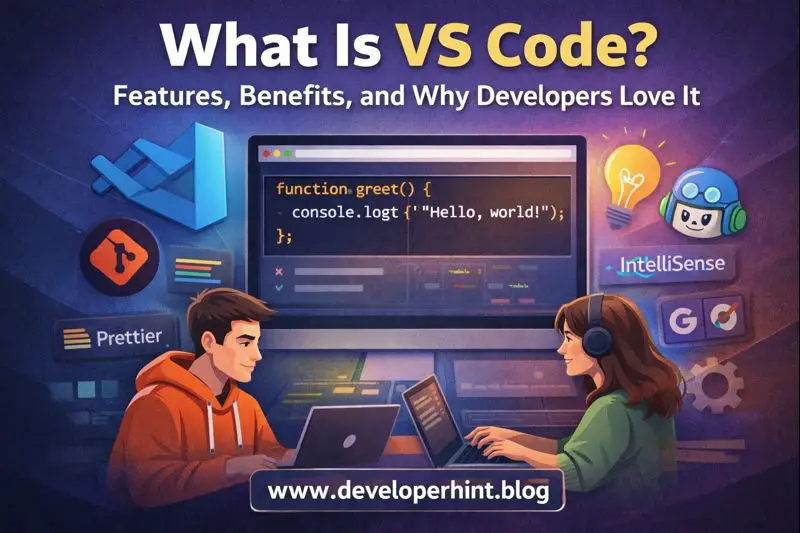
What Is Vs Code Features Benefits And Why Developers Love It
Developer Tools

Why VS Code is the Top Choice for Developers

By Developer Hint
February 3, 2026 2 Min Read
0

Introduction

If you’ve ever searched for the best code editor, chances are you’ve seen developers constantly recommending VS Code, from beginners to senior engineers, VS Code has become the go-to tool for writing, debugging, and managing code.

But what exactly is VS Code and why do developers love it so much? Let’s break it down.

What Is VS Code?

Visual Studio Code (VS Code) is a free, open-source code editor developed by Microsoft, it runs on Windows, macOS, and Linux and supports almost every programming language through built-in features and extensions.

VS Code is not an IDE, it’s a lightweight but powerful editor that becomes as advanced as you need it to be.

Key Features of VS Code

1. Lightweight and Fast

VS Code launches quickly and runs smoothly even on modest machines, making it ideal for everyday development work.

2. Built-In IntelliSense

IntelliSense provides:

  • Smart code completion
  • Parameter hints
  • Function documentation
const message ="Hello VS Code";
message.toUpperCase();

VS Code understands your code and helps you write it faster with fewer mistakes.

3. Integrated Terminal

You can run commands directly inside VS Code without switching windows.

npm installnpm run dev

This saves time and keeps everything in one place.

4. Powerful Extensions Marketplace

VS Code’s extension ecosystem is one of its biggest strengths.

Popular extensions include:

  • ESLint
  • Prettier
  • Live Server
  • GitHub Copilot

You can turn VS Code into a frontend, backend, or full-stack editor in minutes.

5. Built-In Git Support

VS Code comes with Git integration out of the box:

  • View changes
  • Commit code
  • Resolve merge conflicts

All without leaving the editor.

Why Developers Love VS Code

Beginner-Friendly

VS Code is easy to install, easy to use, and doesn’t overwhelm new developers.

Highly Customizable

You can customize:

  • Themes
  • Keybindings
  • Extensions
  • Layouts

VS Code adapts to your workflow, not the other way around.

Supports Almost Every Language

JavaScript, Python, PHP, Go, Java, C++, Rust you name it.

One editor, endless possibilities.

Strong Community Support

Millions of developers use VS Code, which means:

  • Tons of tutorials
  • Active extensions
  • Frequent updates

You’re never stuck for long.

VS Code vs Other Code Editors

EditorWhy VS Code Wins
Sublime TextFree + better ecosystem
AtomFaster and actively maintained
Notepad++Cross-platform & modern
Full IDEsLighter and more flexible

VS Code sits perfectly between simplicity and power.

Who Should Use VS Code?

VS Code is ideal for:

  • Beginner developers
  • Web developers
  • Backend engineers
  • DevOps engineers
  • Students learning to code

If you write code, VS Code fits.

Conclusion

VS Code combines speed, flexibility, and powerful features into a single, free editor that works for almost every developer. Its extensions, Git support, and smart tooling make coding faster and more enjoyable.

At Developer Hint we recommend VS Code as the perfect starting point and long-term companion for developers who want a modern, reliable, and highly customizable coding environment.

Share this:

  • Share on Facebook (Opens in new window) Facebook
  • Share on X (Opens in new window) X
  • Share on Telegram (Opens in new window) Telegram
  • Share on WhatsApp (Opens in new window) WhatsApp
  • Email a link to a friend (Opens in new window) Email
  • Print (Opens in new window) Print

Discover more from Developer Hint

Subscribe to get the latest posts sent to your email.

Content Disclosure
This content was created with the assistance of AI tools and thoroughly reviewed, fact-checked, and refined by a human editor to ensure accuracy, clarity, and usefulness for readers.
Advertisements
banner

Tags:

Developer ToolsVS Code
Author

Developer Hint

Follow Me
Other Articles
Javascript Arrow Functions Explained With Practical Examples
Previous

Understanding JavaScript Arrow Functions with Examples

Essential Vs Code Code Formatting Tips
Next

Essential VS Code Code Formatting Tips

No Comment! Be the first one.

    Leave a ReplyCancel reply

    Random Posts

    • CSS Positioning Explained: Absolute, Relative, Fixed & StickyCSS Positioning Explained: Absolute, Relative, Fixed & Sticky
    • How to Start a Blog with WordPress in 2026 (Step-by-Step Beginner Guide)How to Start a Blog with WordPress in 2026 (Step-by-Step Beginner Guide)
    • What Is an IP Address? Meaning, Types, and How It Works (Complete Beginner’s Guide)What Is an IP Address? Meaning, Types, and How It Works (Complete Beginner’s Guide)
    • what is the difference between website and webpagewhat is the difference between website and webpage
    • JavaScript Hoisting Explained: Avoid Common MistakesJavaScript Hoisting Explained: Avoid Common Mistakes

    Popular

    Random Posts

    • Understanding JavaScript Arrow Functions with ExamplesUnderstanding JavaScript Arrow Functions with Examples
    • CSS Transform and Transition: Easy Animation GuideCSS Transform and Transition: Easy Animation Guide
    • What Is an IP Address? Meaning, Types, and How It Works (Complete Beginner’s Guide)What Is an IP Address? Meaning, Types, and How It Works (Complete Beginner’s Guide)
    • JavaScript Variable Declarations: Understanding var, let, and constJavaScript Variable Declarations: Understanding var, let, and const
    • 7 Mistakes That Keep Web Developers Stuck at Beginner Level7 Mistakes That Keep Web Developers Stuck at Beginner Level

    Legal pages

    • About Us
    • Privacy Policy
    • Terms and Conditions
    • Disclaimer

    Subscribe to Blog via Email

    Enter your email address to subscribe to this blog and receive notifications of new posts by email.

    Copyright 2026 — Developer Hint. All rights reserved.

    ►
    Necessary cookies enable essential site features like secure log-ins and consent preference adjustments. They do not store personal data.
    None
    ►
    Functional cookies support features like content sharing on social media, collecting feedback, and enabling third-party tools.
    None
    ►
    Analytical cookies track visitor interactions, providing insights on metrics like visitor count, bounce rate, and traffic sources.
    None
    ►
    Advertisement cookies deliver personalized ads based on your previous visits and analyze the effectiveness of ad campaigns.
    None
    ►
    Unclassified cookies are cookies that we are in the process of classifying, together with the providers of individual cookies.
    None