Skip to content
-
Subscribe to our newsletter & never miss our best posts. Subscribe Now!
Developer Hint

Your Ultimate Guide to Web Development.

Developer Hint

Your Ultimate Guide to Web Development.

  • Home
  • Web Development
  • Tech Explained
  • Developer Tools
  • Contact Us
  • Home
  • Web Development
  • Tech Explained
  • Developer Tools
  • Contact Us
Close

Search

Subscribe
Developer Hint

Your Ultimate Guide to Web Development.

Developer Hint

Your Ultimate Guide to Web Development.

  • Home
  • Web Development
  • Tech Explained
  • Developer Tools
  • Contact Us
  • Home
  • Web Development
  • Tech Explained
  • Developer Tools
  • Contact Us
Close

Search

Subscribe
Home/Web Development/CSS Box Model Explained Simply (With Practical Examples)
Css Box Model Explained Simply
Web Development

CSS Box Model Explained Simply (With Practical Examples)

blank
By Developer Hint
February 21, 2026 3 Min Read
0

Introduction

Have you ever added padding or margin… and your layout suddenly broke?

That’s the CSS Box Model in action.

Understanding the Box Model is essential for:

  • Fixing layout issues
  • Controlling spacing
  • Building clean UI designs
  • Avoiding unexpected overflow problems

Let’s simplify it.

What Is the CSS Box Model?

Every HTML element is treated as a rectangular box.

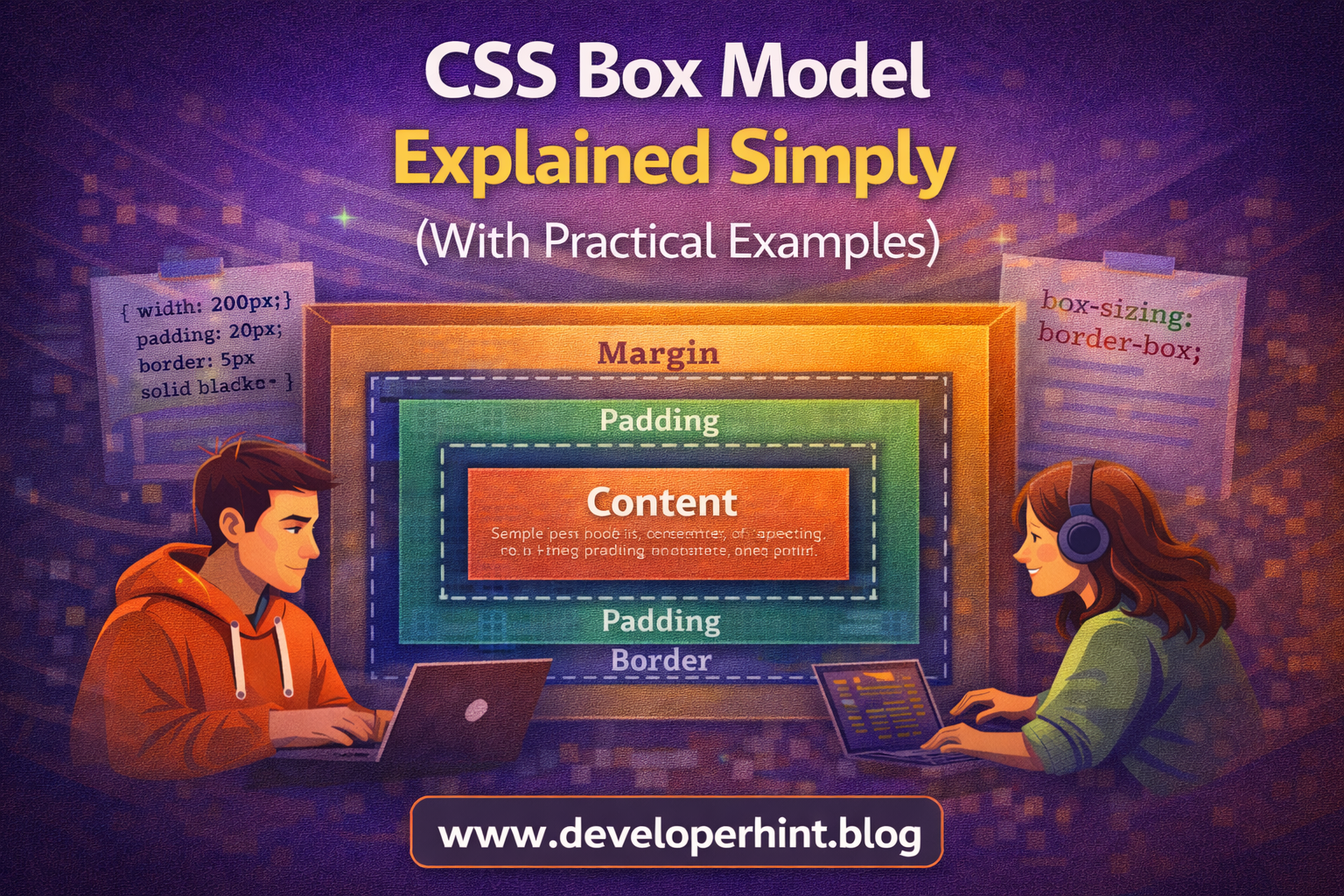
That box consists of four layers:

Content → Padding → Border → Margin

Think of it like a package:

  • Content = the item inside
  • Padding = space inside the box
  • Border = the box edge
  • Margin = space outside the box

The 4 Parts of the Box Model

1. Content

This is the actual text, image, or element content.

div {
width: 200px;
height: 100px;
}

This defines only the content area.

2. Padding

Padding adds space inside the element, around the content.

div {
padding: 20px;
}

Now the content has breathing space inside the box.

Padding increases the total size of the element.

3. Border

Border wraps around the padding.

div {
border: 5px solid black;
}

The border also adds to the total size.

4. Margin

Margin adds space outside the element.

div {
margin: 30px;
}

Margin creates distance between elements.

Total Width & Height Calculation

By default, total width =

Content width

  • Left padding + Right padding
  • Left border + Right border

Example:

div {
width: 200px;
padding: 20px;
border: 5px solid black;
}

Total width becomes:

200 + 40 (padding) + 10 (border) = 250px

This surprises many beginners.

The Problem: Layout Breaking

You set:

div {
width: 100%;
padding: 20px;
}

Now it overflows its container.

Why?

Because padding is added on top of the width.

The Solution: box-sizing

Modern best practice:

* {
box-sizing: border-box;
}

With border-box, padding and border are included inside the width.

Now:

div {
width: 200px;
padding: 20px;
}

Total width remains 200px.

This makes layout much easier to control.

Margin vs Padding (Common Confusion)

Padding:

  • Inside the element
  • Background color is visible
  • Increases clickable area

Margin:

  • Outside the element
  • No background color
  • Creates spacing between elements

Quick example:

.card {
padding: 20px;
margin: 20px;
}

Padding controls inner spacing.
Margin controls outer spacing.

Visual Structure of the Box Model

Think of it in layers:

Margin
Border
Padding
Content

Understanding this mental model solves 80% of spacing issues in CSS.

Common Beginner Mistakes

  • Using margin when padding is needed
  • Forgetting that padding increases total width
  • Not using box-sizing: border-box
  • Stacking margins incorrectly

Fixing these improves layout control instantly.

Why the Box Model Is Important

In real projects, spacing and layout determine:

  • Professional UI design
  • Responsive behavior
  • Clean alignment
  • Maintainable CSS

Mastering the Box Model makes you much more confident in frontend development.

Quick Summary

Every element is a box.

Content → Padding → Border → Margin

Default behavior increases total size.
Use box-sizing: border-box for better control.

Conclusion

The CSS Box Model defines how every element’s size and spacing work. By understanding content, padding, border, and margin, you can control layouts precisely and avoid frustrating design bugs.

At Developer Hint, we believe mastering core CSS concepts like the Box Model builds the foundation for professional, scalable frontend development.

banner
Content Disclosure
This content was created with the assistance of AI tools and thoroughly reviewed, fact-checked, and refined by a human editor to ensure accuracy, clarity, and usefulness for readers.
Advertisements
banner

Tags:

CSSCSS basicsfrontend developmentWeb Development
blank
Author

Developer Hint

Follow Me
Other Articles
Css Specificity Explained Simply
Previous

CSS Specificity Explained Simply (With Practical Examples)

What Is Cdn
Next

What Is CDN? How It Works and Why Websites Use It

No Comment! Be the first one.

    Leave a Reply Cancel reply

    Your email address will not be published. Required fields are marked *

    Random Posts

    • what is the difference between website and webpagewhat is the difference between website and webpage
    • How to Center a Div in CSS (7 Easy Methods Explained)How to Center a Div in CSS (7 Easy Methods Explained)
    • Understanding Web Hosting: A Complete Guide for BeginnersUnderstanding Web Hosting: A Complete Guide for Beginners
    • 7 Mistakes That Keep Web Developers Stuck at Beginner Level7 Mistakes That Keep Web Developers Stuck at Beginner Level
    • Common Mistakes Beginner Web Developers MakeCommon Mistakes Beginner Web Developers Make

    Popular

    Archives

    • May 2026
    • April 2026
    • March 2026
    • February 2026
    • January 2026
    • November 2025
    • October 2025

    Categories

    • Developer Tools
    • Tech Explained
    • Web Development

    Random Posts

    • Responsive Web Design with Bootstrap’s Grid SystemResponsive Web Design with Bootstrap’s Grid System
    • What Is Minification in Web Development? CSS, JS, and HTML ExplainedWhat Is Minification in Web Development? CSS, JS, and HTML Explained
    • What Is an IP Address? Meaning, Types, and How It Works (Complete Beginner’s Guide)What Is an IP Address? Meaning, Types, and How It Works (Complete Beginner’s Guide)
    • Top 10 VS Code Extensions Every Developer Should Use in 2026Top 10 VS Code Extensions Every Developer Should Use in 2026
    • What Is DNS and How Does It Work? — Explained for BeginnersWhat Is DNS and How Does It Work? — Explained for Beginners

    Popular

    Legal pages

    • About Us
    • Privacy Policy
    • Terms and Conditions
    • Disclaimer

    Trending

    Copyright 2026 — Developer Hint. All rights reserved.

    ►
    Necessary cookies enable essential site features like secure log-ins and consent preference adjustments. They do not store personal data.
    None
    ►
    Functional cookies support features like content sharing on social media, collecting feedback, and enabling third-party tools.
    None
    ►
    Analytical cookies track visitor interactions, providing insights on metrics like visitor count, bounce rate, and traffic sources.
    None
    ►
    Advertisement cookies deliver personalized ads based on your previous visits and analyze the effectiveness of ad campaigns.
    None
    ►
    Unclassified cookies are cookies that we are in the process of classifying, together with the providers of individual cookies.
    None