If you’ve been learning web development for a while, this might sound familiar. You finish an HTML tutorial, move on to a CSS course, start learning JavaScript, and then find yourself watching a second JavaScript tutorial because the first one “didn’t explain it well enough.” A few weeks and dozens of hours later, someone asks you to build a simple website from scratch, and you freeze.
That cycle has a name developers use often: tutorial hell. And the good news is that it doesn’t mean you’re bad at programming. It usually means you’ve been spending most of your time consuming information and very little time actually solving problems on your own.
Tutorials aren’t the problem — they’re genuinely useful for learning new concepts. The trouble starts when tutorials become your entire learning process, and you start believing you need to learn everything before you’re allowed to build something. That belief is exactly what keeps people stuck.
Why Tutorial Hell Happens
A few patterns show up again and again with beginners, and recognizing them is the first step to breaking out.
Following instructions feels safer than making decisions
When a tutorial tells you to create a file, add a specific style, or type a specific function, you do it and it works. That feels like progress. But open a blank editor with no instructions and decide what to build yourself, and the situation changes completely — there’s no one telling you what comes next. That discomfort is actually where the real learning starts.
Recognizing code isn’t the same as being able to use it
Watching someone explain .map() and understanding the explanation is one skill. Being able to reach for .map() on your own when you’re solving an unfamiliar problem is a completely different one. The first comes from watching. The second only comes from practice.
Waiting to feel “ready”
It’s easy to keep pushing off building anything real: “I’ll start after I finish JavaScript,” then “I need to learn DOM manipulation first,” then “maybe I should learn APIs,” then “I should probably learn React before building anything serious.” Months pass this way. The truth is you don’t become ready and then start building — you become ready by building.
Jumping straight to projects that are too big
Going from HTML and CSS basics straight to “let’s build the next Facebook” is a huge leap, and it’s a common reason people bounce off building and retreat back to tutorials, where things feel manageable again. The fix is picking projects that are only slightly harder than what you already know, not projects that require skills you haven’t touched yet.
The Mindset Shift That Actually Fixes This
You don’t need to know everything before starting a project. Instead, start the project, discover what you don’t know as you go, and learn exactly that.
In other words, swap this order:
Learn everything → then build
for this one:
Build → get stuck → research → try → fix → learn → keep building
This is much closer to how working developers actually operate day to day. Nobody has every method, API, and syntax detail memorized — professional developers look things up constantly. What matters is knowing what you’re looking for. If you remember that JavaScript has a method for lowercasing a string but forget the exact syntax, that’s fine. You know what to search for, and the search takes seconds. Programming isn’t a memory contest; it’s a problem-solving skill, and it’s the only one that actually compounds with practice.
What to Actually Build
Start small and let your projects grow alongside your skills. Here’s a reasonable progression if you’re learning front-end development.
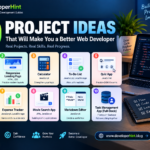
Once you know HTML and CSS, try building a personal profile page, a simple landing page, a recipe page, a blog layout, a digital business card, a product card, a responsive navigation bar, or a basic pricing page. These projects are entirely about structure and styling, with no logic required yet.
Once you’ve picked up basic JavaScript, move on to a counter, a calculator, a to-do list, a digital clock, a random quote generator, a tip calculator, a small quiz app, a password generator, a character counter, or a simple image gallery. These give you real practice with JavaScript logic and DOM manipulation — the two things that trip up beginners the most.
Once JavaScript feels comfortable, step up to a weather app, a movie search app, an expense tracker, a notes app, a GitHub profile finder, a recipe search app, a currency converter, a markdown previewer, or a small dashboard. At this stage you’re working with real APIs, asynchronous code, and error handling — the stuff actual applications are built from.
Best for: anyone who feels like they “know JavaScript” from tutorials but has never actually shipped anything — this progression forces you to apply concepts in a new context each time, instead of copying a familiar pattern.
Using Tutorials Without Falling Back Into the Trap
You don’t have to quit tutorials completely — you just need to change how you use them. Instead of following along and typing every line exactly as the instructor does, try this sequence instead.
Watch the tutorial once, just to understand what you’re supposed to build. Then close it entirely and try to build it yourself from scratch. When you get stuck — and you will — search for the specific problem you’re facing rather than rewatching the whole video. Something like “JavaScript remove item from array” or “how to add an event listener to a dynamically created button” gets you a targeted answer instead of another 40 minutes of passive watching. Then keep building with that answer in hand.
The difference is subtle but important: information you find while solving an actual problem sticks. Information you absorb passively rarely does.
Be careful about copying code you don’t understand
You’ll eventually find code online that solves your exact problem, and that’s completely normal — developers do this constantly. Before pasting it in, though, it’s worth pausing to ask what the code actually does, why it works, and whether you could explain it to someone else. You don’t need to understand every internal detail immediately, but you should understand its purpose and behavior well enough to modify it later if you need to.
Techniques That Deepen What You Learn
A few habits make a real difference once you’re building instead of just watching.
After finishing a project, wait a day or two and try rebuilding it from memory, without looking at your old code. You don’t need to reproduce it exactly — just try to recreate the functionality. Whatever you forget is exactly what needs more practice, which makes this one of the most efficient ways to find your actual gaps.
Once a project works, go back and change it. Take a to-do list you already built and add categories, search, filters, dark mode, due dates, or task priorities. Each addition is a new, smaller problem to solve, and modifying an existing project is often a better learning exercise than starting a brand new one from scratch.
Keep a running list of the specific things you don’t know yet, instead of jumping straight into another full course whenever you hit something unfamiliar. “I need to understand async/await because my project needs to wait for API data” is a far more useful, targeted note than a vague “I need to learn JavaScript.”
And when you’re stuck, give yourself a genuine attempt or two before searching for the answer — think through the problem, try an approach, see what breaks, try a different angle. Only then look it up. That short struggle is what actually builds problem-solving ability; skipping straight to the answer skips the part that makes it stick.
Build Something You Actually Want
One of the most reliable ways to stay motivated is to build something you genuinely want to use, rather than another generic tutorial project. A simple page to track the programming topics you’re learning, for example, still touches HTML, CSS, JavaScript, and local storage — but you’ll actually want to finish it, which matters more than it sounds like it should.
It’s also worth saying plainly: your projects don’t need to be original. Plenty of people have already built a calculator or a weather app. You’re not building one because the world needs another — you’re building one because you need the practice. The goal is skill development, not novelty.
Break Big Ideas Into Small Projects
If your dream project is something huge — “I want to build the next YouTube” — that’s a fine long-term goal, but it’s the wrong place to start. Break it down instead: a user interface here, a video page there, then search, user accounts, a database, uploads, comments, recommendations. Each piece can become its own manageable project, and by the time you’ve built several of them, the “impossible” dream project looks a lot more like a checklist.
Keep a Small, Honest Portfolio
As you improve, hold onto your projects. A GitHub repository with a short note on what you learned from each one works well. Over time that might look like a personal website, a responsive landing page, a calculator, a to-do app, a weather app, an expense tracker, a movie search app, and eventually something full-stack.
You don’t need fifty projects sitting in a folder somewhere. Five projects you genuinely understand and can talk through are worth far more than fifty you copied line by line from someone else’s tutorial.
A Rough Roadmap, Stage by Stage
If you want a concrete path, this is a reasonable one for front-end development.
Start with HTML: build a personal profile page, a recipe page, a blog article layout, and a contact form, while learning semantic HTML, links, images, lists, forms, and tables. Move to CSS by revisiting those same projects and improving them, learning selectors, the box model, Flexbox, Grid, positioning, and responsive design along the way — then build a landing page, a pricing page, and a responsive portfolio.
Next comes JavaScript: a counter, a calculator, a to-do list, a quiz, and a digital clock, while picking up variables, functions, arrays, objects, loops, conditionals, the DOM, and events. After that, move into APIs — build a weather app, a movie search app, and a GitHub profile finder, learning HTTP, JSON, fetch(), promises, and async/await along the way.
fetch("https://api.example.com/weather")
    .then(response => response.json())
    .then(data => {
        console.log(data);
    });
Once you’ve built something using an API, you have a real reason to actually understand promises and error handling — not just recognize them from a video. From there, larger projects like a dashboard, an expense tracker, or a small task management app tie everything together, and that’s usually a good point to start exploring frameworks based on where you want to go next.
Expect Your Early Projects to Be Bad
Your first website will probably look rough. Your CSS might be messy, your JavaScript repetitive, and none of it will look like what an experienced developer writes. That’s completely normal, and it’s not a sign you’re doing something wrong.
Your first goal isn’t beautiful, professional code — it’s just getting something to work. Understanding it, refactoring it, and improving it all come after. Code quality improves naturally with experience; it’s not something you can shortcut by watching more tutorials first.
Signs You’re Actually Escaping Tutorial Hell
You’ll know you’re making real progress when you can start a project without a tutorial, break a large problem into smaller ones, search for specific answers instead of broad topics, read documentation without panicking, debug your own errors, and explain your code to someone else. You don’t need to know everything. You just need to be comfortable figuring things out — that’s the actual skill.
Where This Leaves You
Tutorials aren’t the enemy here — passive learning is. If you spend months watching without building, programming starts to feel like a course you can never quite finish. The fix is switching the order: build something, get stuck, research the specific gap, solve it, and keep going. That loop is what turns watched information into actual skill.
You don’t need to memorize every HTML element, every CSS property, or every JavaScript method. You need to get comfortable solving problems, reading documentation, debugging, and learning exactly what you need exactly when you need it. That’s also, not coincidentally, what the job actually looks like once you’re doing this professionally — nobody hands a working developer a script to follow. So close the next tutorial, open your editor, and start something small today. It will teach you more than another ten hours of watching ever could.
Discover more from Developer Hint
Subscribe to get the latest posts sent to your email.
Content Disclosure
This content was created with the assistance of AI tools and thoroughly reviewed, fact-checked, and refined by a human editor to ensure accuracy, clarity, and usefulness for readers.Advertisements