Skip to content
-
Subscribe to our newsletter & never miss our best posts. Subscribe Now!
Developer Hint

Simple Coding Tips For Developers.

Developer Hint

Simple Coding Tips For Developers.

  • Home
  • Web Development
  • Tech Explained
  • Developer Tools
  • Contact Us
  • Home
  • Web Development
  • Tech Explained
  • Developer Tools
  • Contact Us
Close

Search

Trending Now:
5 Essential Tools Every Blogger Should Use Music Trends That Will Dominate This Year ChatGPT prompts – AI content & image creation trend Ghibli trend – viral anime-style visual trend
Subscribe
Developer Hint

Simple Coding Tips For Developers.

Developer Hint

Simple Coding Tips For Developers.

  • Home
  • Web Development
  • Tech Explained
  • Developer Tools
  • Contact Us
  • Home
  • Web Development
  • Tech Explained
  • Developer Tools
  • Contact Us
Close

Search

Trending Now:
5 Essential Tools Every Blogger Should Use Music Trends That Will Dominate This Year ChatGPT prompts – AI content & image creation trend Ghibli trend – viral anime-style visual trend
Subscribe
Home/Web Development/What Is Minification in Web Development? CSS, JS, and HTML Explained
What Is Minification In Web Development
Web Development

What Is Minification in Web Development? CSS, JS, and HTML Explained

By Developer Hint
April 20, 2026 2 Min Read
0

Minification is one of the simplest ways to improve website performance without changing functionality. If your site loads slowly, large file sizes are often part of the problem—and minification directly targets that.

In modern web development, reducing file size means faster load times, better user experience, and improved SEO rankings. That’s why minification is widely used in production environments.

What Is Minification?

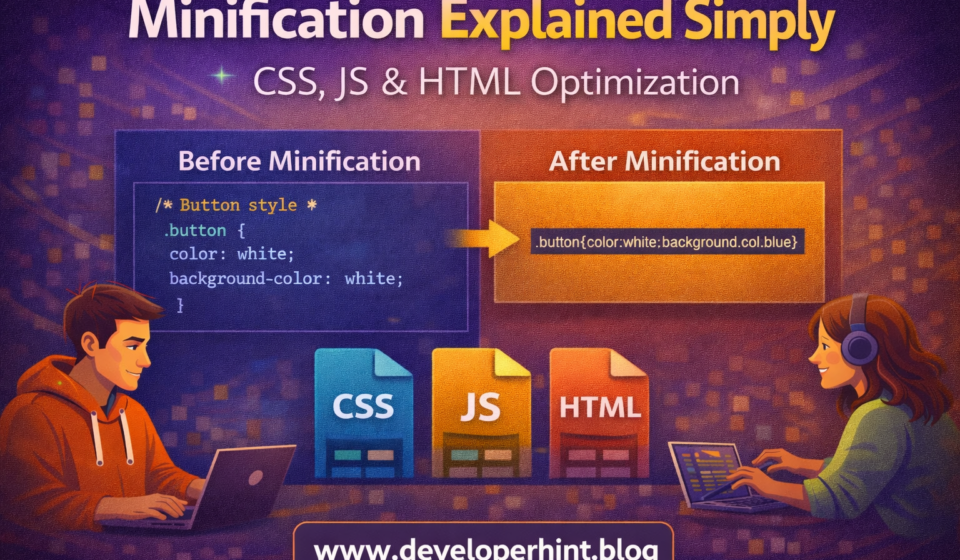
Minification is the process of removing unnecessary characters from code without changing how it works.

This includes:

  • Whitespace (spaces, tabs, line breaks)
  • Comments
  • Unused or redundant code
  • Long variable names (sometimes shortened)

The result is a smaller file that browsers can download and process faster.

How Minification Works

When you write code, it’s formatted for readability. Browsers don’t need that formatting—they only care about execution.

Minification tools take your readable code and compress it into a compact version.

Here’s a simple example:

Original JavaScript:

function greet(name) {
console.log("Hello " + name);
}
greet("Ali");

Minified version:

function greet(n){console.log("Hello "+n)}greet("Ali");

Same functionality, but fewer bytes.

Minification in CSS, JavaScript, and HTML

CSS Minification

Removes spaces, comments, and unnecessary units.

Before:

body {
margin: 0px;
padding: 0px;
}

After:

body{margin:0;padding:0}

JavaScript Minification

In addition to removing whitespace, it may shorten variable names and optimize expressions.

Before:

let totalPrice = 100 + 50;
console.log(totalPrice);

After:

let a = 150 ; console . log( a );

HTML Minification

Removes comments and extra spaces.

Before:

<!DOCTYPE html>
<html>
<body>
<h1>Hello World</h1>
</body>
</html>

After:

<!DOCTYPE html><html><body><h1>Hello World</h1></body></html>

Benefits of Minification

Minification directly impacts performance and efficiency.

  • Faster page load times
  • Reduced bandwidth usage
  • Better SEO rankings
  • Improved user experience, especially on slow networks
  • Lower server load

Even small reductions in file size can make a noticeable difference at scale.

Drawbacks of Minification

Minification is powerful, but it comes with trade-offs.

  • Code becomes hard to read and debug
  • Errors can be harder to trace
  • Not ideal for development environments

That’s why developers usually keep readable code for development and use minified code only in production.

Best Practices

To use minification effectively:

  • Always keep original (unminified) source files
  • Use minification only in production builds
  • Combine with compression techniques like Gzip or Brotli
  • Use source maps for debugging minified code
  • Automate the process using build tools

Popular Minification Tools

Some widely used tools include:

  • Terser for JavaScript
  • CSSNano for CSS
  • HTMLMinifier for HTML
  • Build tools like Webpack, Vite, and Parcel handle minification automatically

Conclusion

Minification is a simple but essential optimization technique in web development. By removing unnecessary characters from your code, you reduce file size and improve loading speed without affecting functionality.

If you’re deploying a website or web app, minification should always be part of your production workflow.

Share this:

  • Share on Facebook (Opens in new window) Facebook
  • Share on X (Opens in new window) X
  • Share on Telegram (Opens in new window) Telegram
  • Share on WhatsApp (Opens in new window) WhatsApp
  • Email a link to a friend (Opens in new window) Email
  • Print (Opens in new window) Print

Discover more from Developer Hint

Subscribe to get the latest posts sent to your email.

Content Disclosure
This content was created with the assistance of AI tools and thoroughly reviewed, fact-checked, and refined by a human editor to ensure accuracy, clarity, and usefulness for readers.
Advertisements
banner

Tags:

CSSDeveloper Guidedeveloper productivitywebsite performance
Author

Developer Hint

Follow Me
Other Articles
How To Center A Div In Css
Previous

How to Center a Div in CSS (7 Easy Methods Explained)

Frontend Vs Backend Which One Should You Learn First In 2026
Next

Frontend vs Backend: Which One Should You Learn First in 2026?

No Comment! Be the first one.

    Leave a ReplyCancel reply

    Random Posts

    • Responsive Web Design with Bootstrap’s Grid SystemResponsive Web Design with Bootstrap’s Grid System
    • What Is a Computer? Definition, Types, and How It Works (Beginner’s Guide)What Is a Computer? Definition, Types, and How It Works (Beginner’s Guide)
    • CSS Specificity Explained Simply (With Practical Examples)CSS Specificity Explained Simply (With Practical Examples)
    • How to Build Consistency as a Web Developer (Even If You’re Busy)How to Build Consistency as a Web Developer (Even If You’re Busy)
    • Essential VS Code Code Formatting TipsEssential VS Code Code Formatting Tips

    Popular

    Random Posts

    • CSS Transform and Transition: Easy Animation GuideCSS Transform and Transition: Easy Animation Guide
    • What Is CDN? How It Works and Why Websites Use ItWhat Is CDN? How It Works and Why Websites Use It
    • Mastering CSS Variables for BeginnersMastering CSS Variables for Beginners
    • Essential VS Code Code Formatting TipsEssential VS Code Code Formatting Tips
    • CSS Selectors Explained with Examples (Detailed Guide)CSS Selectors Explained with Examples (Detailed Guide)

    Legal pages

    • About Us
    • Privacy Policy
    • Terms and Conditions
    • Disclaimer

    Subscribe to Blog via Email

    Enter your email address to subscribe to this blog and receive notifications of new posts by email.

    Copyright 2026 — Developer Hint. All rights reserved.

    ►
    Necessary cookies enable essential site features like secure log-ins and consent preference adjustments. They do not store personal data.
    None
    ►
    Functional cookies support features like content sharing on social media, collecting feedback, and enabling third-party tools.
    None
    ►
    Analytical cookies track visitor interactions, providing insights on metrics like visitor count, bounce rate, and traffic sources.
    None
    ►
    Advertisement cookies deliver personalized ads based on your previous visits and analyze the effectiveness of ad campaigns.
    None
    ►
    Unclassified cookies are cookies that we are in the process of classifying, together with the providers of individual cookies.
    None