
If you’ve spent any time around web development content, you’ve probably run into the term MERN stack — usually alongside developers talking about MongoDB, Express, React, and Node.js like they’re one unit. That can feel intimidating when you’re new, since it sounds like four separate things to learn at once. The basic idea, though, is a lot simpler than the acronym makes it look.
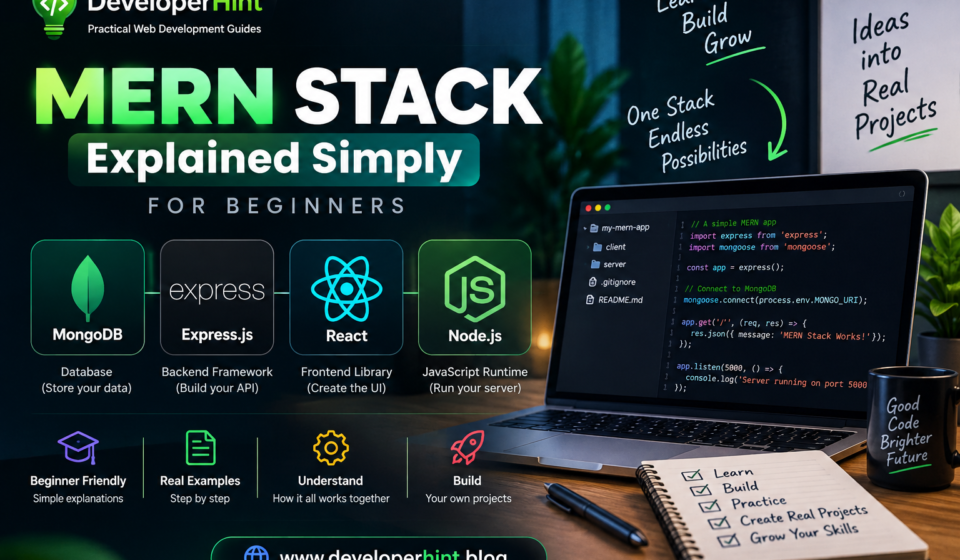
MERN is a collection of JavaScript-based technologies used together to build full-stack web applications — meaning both the part users see and the part that handles data behind the scenes. The name comes from its four pieces:
| Letter | Technology | Main Job |
|---|---|---|
| M | MongoDB | Database |
| E | Express.js | Backend web framework |
| R | React | Frontend UI |
| N | Node.js | JavaScript runtime |
A quick way to remember what each one does: React handles what the user sees, Express handles how the server deals with incoming requests, Node.js is where that server-side JavaScript actually runs, and MongoDB is where the application’s data lives. Put together, those four pieces form the basic architecture of a MERN application.
Before going further, it’s worth clarifying what “stack” even means here — a technology stack is just a group of technologies used together to build something. A site might pair a React frontend with a Node and Express backend and a MongoDB database, and that combination is its stack. The word doesn’t imply anything about the technologies being physically layered; it’s just a name for the set working together.
MongoDB: Where the Data Lives
MongoDB is the database piece of MERN. If you’re new to databases, think of one as a digital storage system your application relies on — a blog needs somewhere to keep its users, posts, and comments; a task app needs somewhere to keep tasks and their status.
What makes MongoDB a natural fit for JavaScript developers is how it stores data: as documents structured similarly to JSON, rather than the rows and columns you’d find in a traditional relational database. A single document in a task app might look like this:
{
    "title": "Learn React",
    "completed": false,
    "priority": "high"
}
MongoDB organizes these documents into collections, and collections live inside a database — so a blog’s database might have separate collections for users, posts, and comments, each holding documents shaped like the data they represent. This is generally called a document-oriented database model, and it tends to feel intuitive if you’re already comfortable working with JavaScript objects.
Express.js: Handling Requests on the Backend
Express is a web framework that runs on top of Node.js, and its job is making it easier to build servers and APIs. Say your React app needs a list of blog posts — it sends a request like GET /api/posts, and Express is what receives that request and decides what happens next:
app.get("/api/posts", (req, res) => {
    res.json(posts);
});
This is where the term API comes up constantly — short for Application Programming Interface, and in a MERN app it’s simply the set of routes the frontend uses to talk to the backend. A typical set of routes for managing posts might include getting them, creating new ones, updating existing ones, and deleting them:
GET    /api/posts
POST   /api/posts
PUT    /api/posts/123
DELETE /api/posts/123
Those four actions map directly onto CRUD — Create, Read, Update, Delete — a pattern you’ll run into constantly once you start building anything database-driven, since almost every application needs some version of all four.
React: Building What Users See
React is the frontend piece of MERN, responsible for the interface people actually interact with — buttons, forms, dashboards, task lists, all of it. One of React’s core ideas is breaking an interface into components instead of writing one massive page of markup. A task list, for instance, might be built from a reusable component representing a single task:
function Task({ title }) {
    return (
        {title}
    );
}
That one component can then render every task in a list, which keeps the code organized as the interface grows. React is primarily concerned with the frontend, though — when a user clicks delete on a task, React can update what’s on screen immediately, but actually removing that task from the database means the request has to travel through the rest of the stack: from React, to Express, through Node.js, to MongoDB, and back again with a response React uses to update the page.
Node.js: Running JavaScript on the Server
Node.js is a JavaScript runtime that lets JavaScript run outside the browser. Normally you’d only expect JavaScript to run somewhere like a browser console — Node.js makes it possible for that same language to run on a server instead, which is exactly why a JavaScript developer can work across the entire MERN stack without switching languages.
It’s worth clearing up a common point of confusion early: Node.js and Express aren’t the same thing. Node.js is the runtime environment that lets JavaScript execute on a server at all. Express is a framework that runs on top of Node.js and gives you tools for building that server and its API more easily. You need Node.js to run Express — but Node.js by itself doesn’t give you the routing and request-handling tools Express provides.
How the Four Pieces Work Together
Here’s what actually happens, step by step, when someone uses a MERN task management app. React renders the interface first, showing whatever tasks are already loaded. It then sends a request to the backend — GET /api/tasks — which Express receives and handles:
app.get("/api/tasks", async (req, res) => {
    // Get tasks from database
});
Node.js is the environment where that backend code actually runs, and from there the server queries MongoDB, which returns the matching documents:
[
    {
        "title": "Learn React",
        "completed": false
    },
    {
        "title": "Build MERN App",
        "completed": false
    }
]
Express sends that data back to React, and React updates the page so the user sees their tasks. From the user’s side, none of this is visible — it just feels like one application. Behind the scenes, four different technologies just handed a request back and forth to make it happen.
The Three Layers of a MERN Application
It helps to think of a MERN app as three layers stacked by responsibility rather than four separate technologies. React forms the presentation layer, handling the UI, components, user interactions, and client-side state. Node.js and Express form the application layer, handling API routes, business logic, authentication, and validation. MongoDB forms the data layer, storing whatever your application actually needs to remember — users, posts, products, tasks, orders.
Because MERN covers all three layers — frontend, backend, and database — it counts as a full-stack technology stack, capable of handling an application end to end rather than just one piece of it.
Why Developers Like MERN
The biggest draw is that JavaScript shows up across nearly the whole stack — React, Node.js, and Express are all JavaScript, and MongoDB stores data in a JSON-like format that feels familiar if you already know the language. That means you’re not splitting your attention between, say, JavaScript on the frontend and an entirely different language on the backend, which tends to make the learning curve more manageable for people who already know JavaScript reasonably well.
React’s component-based structure adds another practical benefit: instead of one enormous file, you end up with a folder of focused pieces — a header, a footer, a button, a navbar, a user card — each with one job. That organization tends to age a lot better as an application grows than a single sprawling file would.
MERN isn’t tied to one type of application either. It shows up behind blogs, e-commerce sites, social platforms, dashboards, and task managers alike — the stack provides the technologies, but what you build with them is entirely up to the project.
Authentication in a MERN App
Most real applications eventually need accounts — sign up, log in, and access to private data once you’re authenticated. In a MERN app, that typically means a React login form sending credentials to an Express API, which handles the authentication logic and checks against the database. Getting this right involves real security considerations around passwords, sessions, tokens, and cookies — and one rule that’s non-negotiable: user passwords should never be stored as plain text.
MERN Is a Starting Point, Not the Whole Toolbox
It’s worth being clear that MERN refers to four core technologies, but a real-world application almost always pulls in more than that — Git and GitHub for version control, a build tool like Vite, CSS or a UI library for styling, testing tools, and whatever hosting platform you deploy to. You’ll likely reach for additional libraries for routing, form handling, data fetching, or validation depending on what the project actually needs. MERN is the foundation, not the entire toolbox.
MERN vs. MEAN vs. PERN
You’ll likely run into a couple of related acronyms once you start reading about MERN. MEAN swaps React for Angular as the frontend framework — everything else stays the same. PERN swaps MongoDB for PostgreSQL, trading a document-oriented database for a relational one. Neither swap makes a stack objectively better; PostgreSQL suits data with clear, structured relationships, while MongoDB tends to suit flexible, evolving data shapes. Which one fits depends entirely on what you’re building, not on some universal ranking.
Should Beginners Start With MERN?
Not immediately. MERN assumes a reasonably solid grasp of JavaScript already, and jumping into React and Node.js before that foundation is in place tends to make everything harder than it needs to be. If methods like map(), filter(), and find(), or concepts like async/await, objects, and functions still feel shaky, that’s worth shoring up before layering React and a backend on top.
async function getUsers() {
    try {
        const response = await fetch("/api/users");
        const users = await response.json();

        console.log(users);
    } catch (error) {
        console.error(error);
    }
}
If you can read that snippet and follow what it’s doing, you’re in reasonable shape to start learning React and backend development. A sensible path looks like HTML, then CSS, then JavaScript fundamentals and modern syntax like destructuring and arrow functions, then Git for version control, and only then React, followed by Node.js, Express, and MongoDB. You don’t need to fully master each step before moving to the next — just be comfortable enough that the next layer doesn’t feel like it’s fighting you.
Once the fundamentals feel solid, start small rather than jumping straight into something ambitious. A task management app with accounts, login, and basic CRUD for tasks is a genuinely good first MERN project — small enough to finish, but touching all four technologies in a real way. If you want more structured practice ideas at that stage, a project-based approach like the one in our beginner web development project list works well alongside learning MERN specifically.
Mistakes Worth Avoiding
A few patterns trip up beginners specifically with MERN. Trying to learn React before JavaScript itself is one of the most common — React doesn’t replace JavaScript knowledge, it builds on top of it, so gaps in the basics tend to surface as confusing React bugs. Watching tutorial after tutorial instead of building is another, and it’s worth reading our piece on escaping tutorial hell if that sounds familiar — the short version is to build something, get stuck, search for the specific problem, and keep going. Starting with something too ambitious, like an entire e-commerce platform, is a third — start with one feature, get it working, then add the next. And copying an entire backend from a tutorial without understanding what each part does will leave you with a working app and very little actual knowledge to show for it.
How Long Does Learning MERN Take?
There’s no universal timeline, since it depends on how much JavaScript you already know, how consistently you practice, and how complex the projects you build actually are. A more useful way to track progress than counting months is asking what you can actually do: can you build a React interface, create an API, connect it to MongoDB, handle errors properly, add authentication, and deploy the result? Those milestones tell you a lot more than “I’ve been studying MERN for three months” ever could.
Do You Need MERN to Become a Web Developer?
No — MERN is one option among several. Developers build full careers on MEAN, PERN, Django, Laravel, Ruby on Rails, or .NET just as easily. What actually transfers between all of them is the underlying knowledge: HTML, CSS, JavaScript, HTTP, how APIs work, how databases store and retrieve data, Git, and basic web security. Learn those well, and switching stacks later becomes a lot less daunting than it sounds right now.
Wrapping Up
The name MERN sounds like a lot to take in at once, but the structure underneath it is straightforward: MongoDB stores the data, Express handles backend routes and the API, Node.js runs that backend JavaScript, and React builds the interface people actually see. Those four pieces, working together, cover a full application from database to browser.
If you’re learning web development, there’s no need to tackle all four at once. Build a solid foundation in HTML, CSS, and JavaScript first, then bring in React, backend work with Node and Express, and MongoDB once you’re ready to connect them. For developers specifically, understanding MERN is less about memorizing four names and more about understanding how a frontend, a backend, and a database actually talk to each other — a pattern that shows up in some form no matter which stack you eventually end up using on the job.
Discover more from Developer Hint
Subscribe to get the latest posts sent to your email.
Content Disclosure
This content was created with the assistance of AI tools and thoroughly reviewed, fact-checked, and refined by a human editor to ensure accuracy, clarity, and usefulness for readers.Advertisements