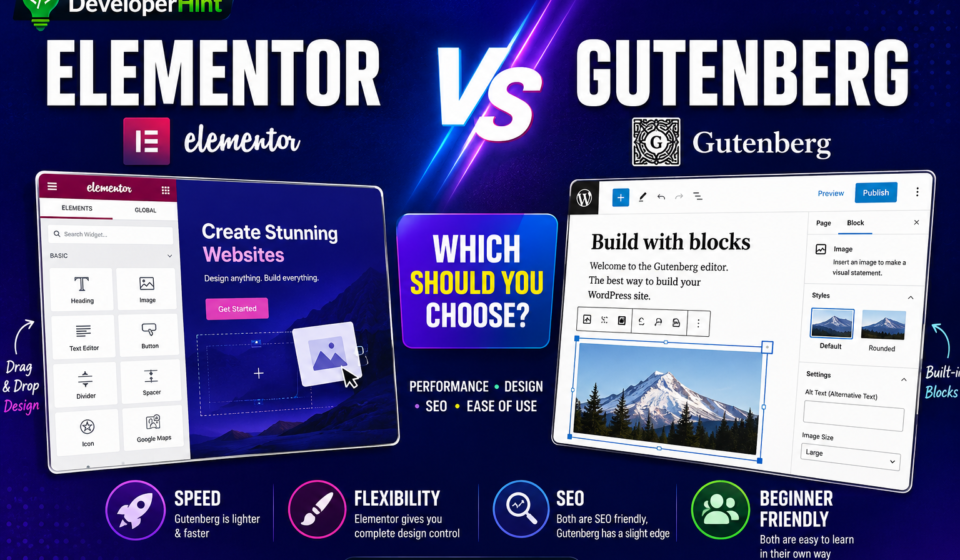

If you’re setting up a WordPress website for the first time, this question will come up quickly: should you use Elementor or stick with the default Gutenberg editor that comes built into WordPress?
I’ve used both on real websites — blogs, client projects, landing pages — and the honest answer is that there isn’t a universally right choice. They’re built with different goals in mind, and which one makes sense for you depends entirely on what you’re building and what you value more: design freedom or lean performance.
This comparison covers everything you need to make that call — ease of use, performance, design flexibility, pricing, and SEO — with an honest assessment of where each one actually wins.
What Is Gutenberg?
Gutenberg is WordPress’s built-in block editor, introduced in 2018 with WordPress 5.0. It replaced the old classic editor and changed how content is built inside WordPress — instead of a single text area, you now build pages by combining individual blocks: headings, paragraphs, images, buttons, columns, galleries, and more.
Because it’s part of WordPress core, you don’t install anything extra. It’s just there when you install WordPress.
Since its launch, Gutenberg has grown significantly. The biggest addition has been Full Site Editing (FSE) — a feature that lets you design headers, footers, and page templates visually using blocks, not just individual posts and pages. This closes a meaningful chunk of the design gap that used to separate Gutenberg from page builders like Elementor.
Pros of Gutenberg:
- Completely free, built into WordPress
- Lightweight — fewer assets, faster page loads
- Better Core Web Vitals scores out of the box
- Full Site Editing for header and footer control
- Cleaner HTML output
Cons of Gutenberg:
- More limited design flexibility compared to Elementor
- Steeper learning curve than a visual drag-and-drop editor
- Advanced layouts often require additional block plugins
- No live frontend editing — you edit in the backend and preview separately
What Is Elementor?
Elementor is a third-party visual page builder for WordPress, launched in 2016. It operates on a drag-and-drop canvas where you see exactly what your page looks like as you build it. Widgets — the Elementor equivalent of blocks — are dragged directly onto the page and configured in a sidebar panel.
It’s this live visual editing experience that made Elementor so popular. You’re never guessing what something will look like — every change is visible immediately.
Pros of Elementor:
- Intuitive drag-and-drop live editor
- Large widget library with advanced design controls
- Hundreds of professional templates
- Popup builder, form builder, theme builder included in Pro
- Very beginner-friendly
Cons of Elementor:
- Adds extra CSS and JavaScript that can affect performance
- Many essential features locked behind the Pro plan
- Can generate bloated HTML with excessive div nesting
- Adds a third-party dependency to your site
Ease of Use
For complete beginners, Elementor has a genuine advantage here. The drag-and-drop canvas is immediately intuitive — you can see your design taking shape in real time, move sections around freely, and get a feel for the layout without needing to understand how block structures work.
Gutenberg has improved a lot since 2018, but it still requires a mental model shift. You’re working with blocks, nesting groups inside columns, and editing properties in a sidebar rather than on the canvas directly. It’s not difficult once you understand it, but the initial learning curve is steeper than Elementor’s.
If your goal is getting a good-looking page up quickly with minimal friction, Elementor is the easier starting point for most people.
Winner: Elementor
Performance and Page Speed
This is where the gap between the two builders is most measurable. Gutenberg, being part of WordPress core, adds minimal external resources to your pages. It outputs relatively clean HTML and loads a small amount of CSS and JavaScript — typically around 30KB compressed, easily cached by browsers.
Elementor loads additional scripts, stylesheets, and assets on every page — including for widgets you may not even be using on that specific page. It can also generate deeply nested div structures that increase DOM complexity, which affects Core Web Vitals metrics like Largest Contentful Paint (LCP) and Cumulative Layout Shift (CLS).
That said, Elementor has made meaningful improvements. Recent versions include an Optimized DOM output setting and better asset loading controls. On a well-configured hosting environment with caching in place, Elementor pages can perform well. But Gutenberg pages will almost always start with a faster baseline without any optimization effort.
Independent benchmarks consistently show Gutenberg delivering faster load times, smaller page sizes, and fewer HTTP requests than Elementor under comparable conditions.
Winner: Gutenberg
Design Flexibility
Elementor’s design controls are simply more extensive. You can adjust margins, padding, typography, colors, borders, shadows, animations, and hover effects on nearly any element — all from a visual interface without touching code. The widget library includes things like pricing tables, testimonial sliders, countdown timers, and popups that would require separate plugins or custom development in Gutenberg.
Gutenberg has closed the gap with Full Site Editing, pattern libraries, and a growing ecosystem of third-party block plugins. But for creating custom landing pages, multi-section marketing pages, or complex layouts with fine-tuned design control, Elementor still offers more flexibility out of the box.
If you’re building a blog or content site where the content is the focus and layout needs are relatively simple, Gutenberg handles it well. If you’re building landing pages or client sites where every design detail matters, Elementor gives you more to work with.
Winner: Elementor
Pricing
Gutenberg is completely free and always will be, it’s part of WordPress core.
Elementor offers a free version, but it’s limited. The free plan gives you access to around 40 basic widgets and basic templates enough to experiment, but not enough to build a professional site with advanced features like forms, popups, or theme-level design.
Elementor Pro is where the real functionality lives, and it’s subscription-based:
- Essential — $59/year (1 website)
- Advanced — $99/year (3 websites)
- Expert — $199/year (25 websites)
- Agency — $399/year (1,000 websites)
All Pro plans include the same core feature set, Theme Builder, Popup Builder, WooCommerce Builder, 100+ Pro widgets, custom CSS, and motion effects. The differences are in how many sites you can activate the license on. Elementor also discontinued lifetime licenses in 2022, so Pro is an ongoing annual cost.
If budget is a constraint, Gutenberg wins clearly. If you’re a freelancer or agency building multiple client sites, the per-site cost of Elementor Pro becomes more reasonable, $99/year for three professional sites is a workable expense.
Winner: Gutenberg (for individuals and bloggers), Tie (for agencies building multiple sites)
SEO
The builder itself doesn’t directly determine your SEO rankings. content quality, backlinks, site structure, and page speed matter far more than which editor you used to write your posts. Both Elementor and Gutenberg work fine with SEO plugins like Yoast.
Where the difference shows up indirectly is through performance. Gutenberg’s leaner code typically results in better Core Web Vitals scores, which are a Google ranking signal. An Elementor page that’s well-optimized with good hosting and caching can close that gap significantly, but getting there requires more deliberate effort.
If you want the best performance baseline with the least configuration, Gutenberg has a natural advantage here. Elementor is not inherently bad for SEO, just more dependent on proper optimization.
Winner: Gutenberg (slight edge due to performance)
Which One Should You Choose?
The honest answer is that both builders are capable of producing good websites. The question is what fits your situation.
Choose Gutenberg if:
- You’re running a blog or content-focused website
- Page speed and Core Web Vitals are a priority
- You prefer a lightweight site with fewer dependencies
- Budget is a concern and free is important
- You’re comfortable with a small learning curve
Choose Elementor if:
- You’re building landing pages or marketing sites with custom layouts
- You want live visual editing and don’t want to write code
- You’re creating websites for clients and need design control
- You need built-in popups, forms, or WooCommerce design tools
- Design consistency and visual polish are more important than raw speed
A Note for Developers
If you’re a developer or comfortable with HTML and CSS, there’s a third consideration worth thinking about. Both Gutenberg and Elementor generate markup you don’t fully control. For performance-critical projects, some developers prefer using a lightweight theme with custom blocks or even building custom block patterns in Gutenberg, which gives you cleaner output than either builder’s default behavior.
But for most WordPress projects especially those where non-technical clients will be editing content, the right builder is the one your client can actually use without breaking things. That consideration sometimes overrides everything else.
Final Thoughts
Gutenberg and Elementor aren’t really competing for the same user. Gutenberg is the right tool for people who want a fast, lightweight, content-focused WordPress site and don’t mind a block-based workflow. Elementor is the right tool for people who prioritize visual design control and want to build polished, custom-looking pages without writing code.
For most bloggers and content creators starting out, I’d recommend beginning with Gutenberg. It’s free, fast, and its Full Site Editing capabilities are genuinely powerful now. You can always add Elementor later if you find yourself needing more design control.
Pick the one that matches what you’re building and don’t let anyone convince you there’s a universally correct answer, because there isn’t one.
Discover more from Developer Hint
Subscribe to get the latest posts sent to your email.
Content Disclosure
This content was created with the assistance of AI tools and thoroughly reviewed, fact-checked, and refined by a human editor to ensure accuracy, clarity, and usefulness for readers.Advertisements